
Agenda [+ only]
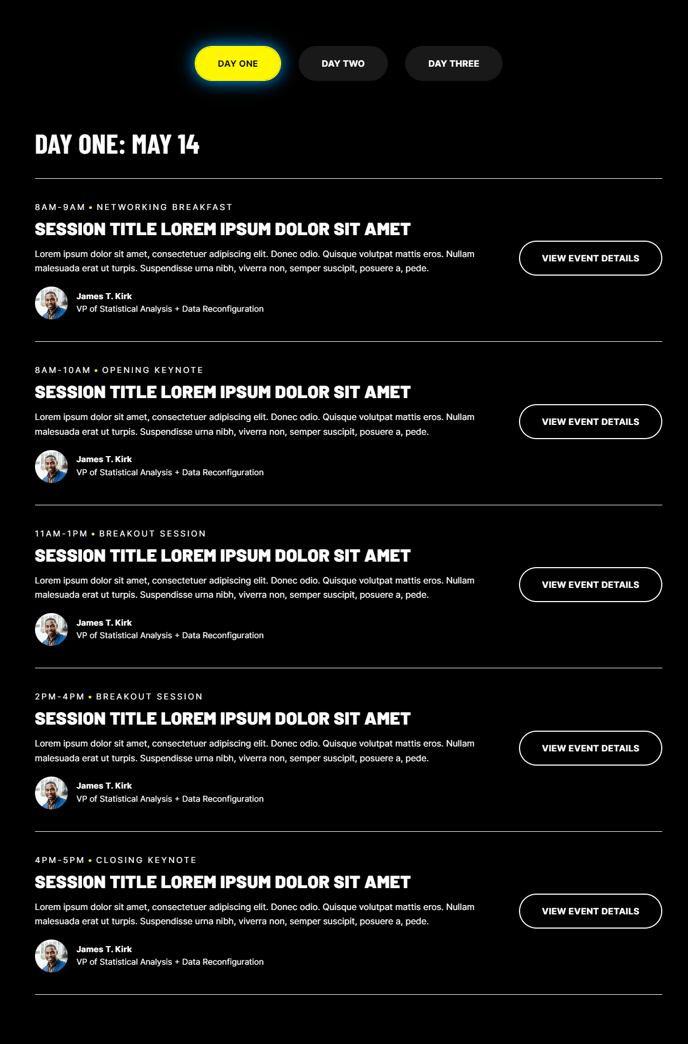
Display a list of events, optionally organized into tabs.
View a live demo of this module.
Content
- Choose vertical or horizontally-oriented tabs.
- Add any number of tabs representing different groups of events. If only one tab is used, the tab navigation will be hidden. Each tab can contain:
- A title for the navigation
- A heading above the list of events
- A list of any number of events. Each event can contain:
- Text content
- A list of speakers
- CTA buttons
Styles
- Set Light Mode
- Add “scanline” background style
- Change the tab style
How to Use the Agenda Module
The Agenda module is specifically designed for conference websites, training programs, corporate events, and webinar series where you need to present a structured schedule to your audience. This module excels at organizing complex event information in a digestible format that encourages attendee engagement and registration.
When building your event pages, drag this module into any flexible column or full-width section of your HubSpot page. The module automatically adapts to your chosen layout, making it perfect for dedicated agenda pages, event landing pages, or even homepage sections highlighting upcoming sessions.
For multi-day conferences or events with different tracks, leverage the horizontal tab orientation to separate content by day, topic, or audience type. The vertical tab layout works particularly well in sidebar placements or when you have fewer categories but want to emphasize the visual hierarchy of your content.
Pro tip for content editors: Use the speaker lists strategically by linking to dedicated speaker bio pages elsewhere on your site. This creates valuable internal linking opportunities while providing attendees with comprehensive presenter information. The CTA buttons within each event listing are ideal for registration links, calendar downloads, or session-specific resources.
The scanline background style pairs exceptionally well with tech conferences and corporate training events, while Light Mode ensures optimal readability across all device types. When configuring multiple events within a single tab, arrange them chronologically or by importance to guide your visitors’ attention naturally through the schedule.
Consider pairing this module with the Brightlane theme’s speaker showcase or testimonial modules on the same page to create a comprehensive event experience that builds trust and drives conversions.