
Back to Top
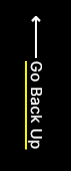
A fixed button to return user to the top of the page.
Note: This is a built-in module, meaning you’ll need to open the Contents tab of the page editor sidebar to select it.
Content
- Remove button from page
- Edit text
Styles
- Change text color
- Change background color
Usage Guide
The Back to Top module provides a floating button that remains fixed in position as visitors scroll through your content, offering them a quick way to return to the page header without manual scrolling. This module is particularly valuable for long-form content pages common in professional services and B2B websites, such as detailed service descriptions, case studies, or comprehensive resource pages.
When you add this module through the Contents tab in your HubSpot page editor, it automatically positions itself in the bottom corner of the viewport and becomes visible once users scroll past the initial screen height. The button’s unobtrusive design maintains the Brightlane theme’s clean aesthetic while improving user experience on content-heavy pages.
Best practices for implementation: Consider adding the Back to Top module to any page that extends beyond two screen lengths, including blog posts, landing pages with multiple sections, and service detail pages. The module works exceptionally well on About Us pages, Services pages, and Resources sections where visitors often need to reference information at the top after reading through detailed content.
The customization options allow you to maintain brand consistency by adjusting the button’s appearance to match your site’s color scheme. When editing the text, keep it concise – single words like “Top” or “Up” work better than longer phrases for this compact button design.
Since this is a built-in module rather than a drag-and-drop component, you won’t find it in the standard module library. Instead, access it through the Contents sidebar where it appears alongside other built-in theme elements. The module automatically inherits responsive behavior, ensuring it displays appropriately on both desktop and mobile devices without additional configuration.