
Call to Action Box
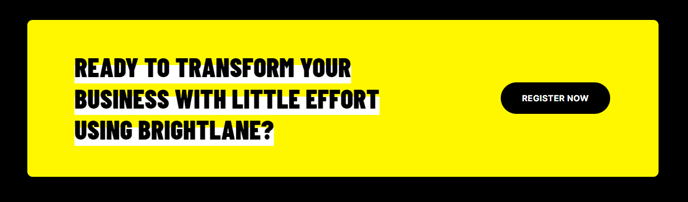
A styled box that includes call to action text and button.
View a live demo of this module.
Content
- Add up to 2 buttons
- Change position of the button (left, right, bottom, bottom full width)
- Add a form. Note: If you add a form, it should only contain a single field (typically the email field)
- Display the form in a modal popup, triggered by scroll position, timeout, or exit intent [+ only]
- Add a countdown timer, with an optional action on complete [+ only]
Styles
- Change the background, border, and padding
- Change the text alignment on both desktop and mobile
- Change the text highlight color
- Set to Light Mode
How to Use This Module
The Call to Action Box module is designed to capture visitor attention and drive conversions at strategic points throughout your website. This versatile module works particularly well on landing pages, service pages, and blog posts where you need to guide visitors toward a specific action like downloading a resource, scheduling a consultation, or signing up for an event.
When adding this module through the HubSpot page editor’s drag-and-drop interface, consider placing it after compelling content sections where visitors are most engaged. The module’s dual-button capability allows you to offer primary and secondary actions, such as “Get Started” paired with “Learn More,” giving visitors options that match their readiness to convert.
The flexible button positioning is particularly useful for different page layouts. Use left or right alignment when the module sits alongside other content, bottom positioning for centered focus, or bottom full width for maximum visual impact on mobile devices. The Brightlane theme automatically optimizes button layouts for mobile viewing.
For lead generation, the integrated single-field form option works exceptionally well for newsletter signups or content downloads. Keep forms simple with just an email field to maximize completion rates. The modal popup functionality (available in Brightlane+) is ideal for exit-intent captures or time-sensitive offers.
The countdown timer feature (Brightlane+ only) adds urgency to promotional campaigns, webinar registrations, or limited-time offers. You can configure actions to trigger when the countdown reaches zero, such as hiding the module or redirecting visitors to a different page.
Style tip: Use the text highlight color feature to emphasize key words in your call-to-action copy, and leverage Light Mode when placing the module over darker page backgrounds to maintain the theme’s clean, professional aesthetic.