
Collapsible Text
List of collapsible items for condensing content.
View a live demo of this module.
Content
- Include a heading
- Add as many collapsible items as you want
Styles
- Set to Light Mode
- Add “scanline” background style
- Customize list styling
- Change heading alignment
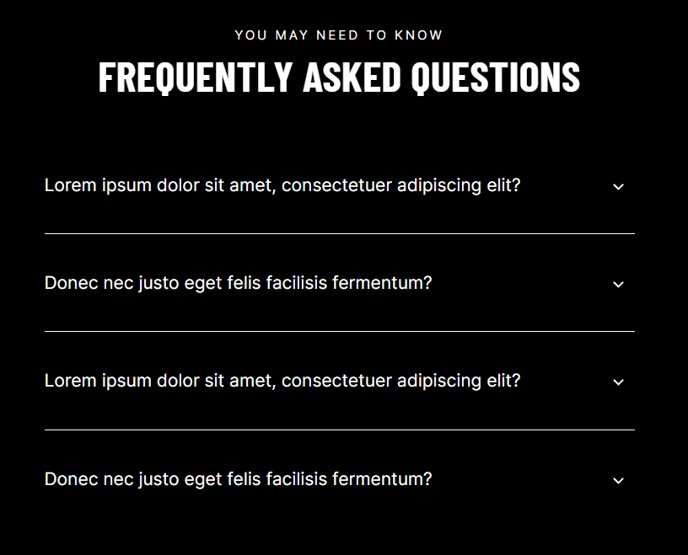
How to Use This Module
The Collapsible Text module is perfect for organizing large amounts of information into digestible, interactive sections. You’ll commonly use this module for FAQ pages, feature comparisons, product documentation, or any scenario where you need to present detailed content without overwhelming your visitors with walls of text.
This drag-and-drop module works exceptionally well on service pages where you need to address common client questions, event pages for agenda breakdowns, or resource pages where you’re explaining complex processes. The collapsible format keeps your page clean while ensuring all necessary information remains accessible.
When building pages in the HubSpot page editor, you can drag this module into any flexible column or full-width section. Each collapsible item functions independently, so visitors can open multiple sections simultaneously or focus on just the information they need. This improves user experience while reducing page bounce rates.
Best practices for content organization: Structure your collapsible items in logical order, starting with the most frequently asked questions or most important information first. Keep your item titles concise but descriptive enough that users understand what content they’ll find inside.
The module’s styling options integrate seamlessly with Brightlane’s professional aesthetic. The scanline background style adds subtle visual interest without being distracting, while the customizable list styling ensures the module matches your brand guidelines. Light mode works particularly well on service and contact pages where you want to maintain a clean, trustworthy appearance.
For maximum effectiveness, combine this module with Brightlane’s other content modules on the same page. It pairs well with the CTA module below your collapsible content to guide users toward conversion after they’ve found their answers.