
Hero - Blog Post
A hero for blog post template to display blog post information.
Note: This module is only able to be used on Blog Post templates.
View a live demo of this module.
Content
- Show/hide back link, tag, read time, date, author, and/or featured image
- Limit the maximum number of tags that display
- Edit strings used within module (back link and author text)
Styles
- Set Light Mode
- Add “scanline” background style
- Add a base background layer with an optional blur effect
- Change background for both desktop and mobile (color, gradient, image)
- Edit module padding
- Change load-in animation for image
- Add a gradient shadow to the image
- Manually adjust the heading size
- Change text alignment
Overview
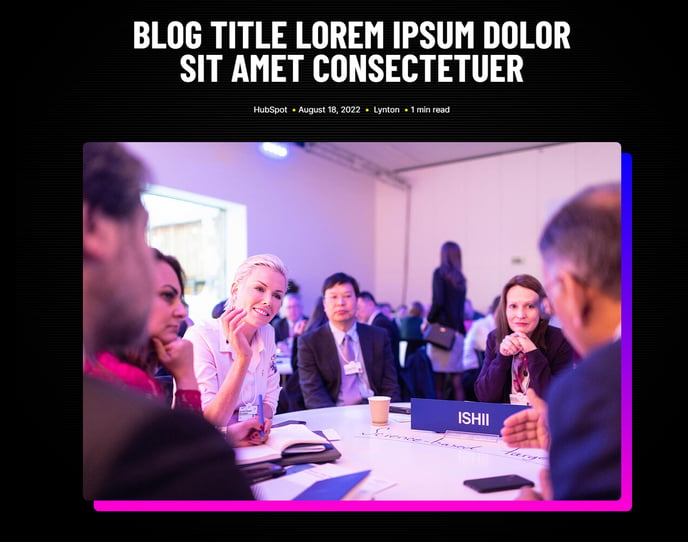
The Hero - Blog Post module is specifically designed to create compelling introductory sections for your blog content within the Brightlane theme. This module automatically pulls in your blog post’s metadata and featured image to create a professional, branded header that enhances reader engagement and establishes clear article hierarchy.
Unlike standard hero modules that require manual content entry, this module dynamically populates with your blog post’s information, including the title, publication date, author details, and associated tags. This automation ensures consistency across your blog while reducing the setup time for each new post you publish.
Usage Guide
When adding this module to your blog post template through the HubSpot page editor, position it near the top of your page to immediately capture visitor attention. The module works best when your blog posts have featured images uploaded, as this creates the most visually impactful presentation.
Best practices for optimal results:
- Use high-quality featured images with a 16:9 aspect ratio for consistent display across desktop and mobile devices
- Take advantage of the background blur effect when your featured image has busy details that might interfere with text readability
- Configure the tag limit based on your tagging strategy — showing 2-3 tags typically provides the best balance between information and visual clarity
- Enable the scanline background style for technology or professional services content to reinforce the theme’s modern aesthetic
The Light Mode setting proves particularly valuable when your blog covers diverse topics that might benefit from different visual treatments, allowing you to maintain brand consistency while adapting to content context.