
Related Blog Posts
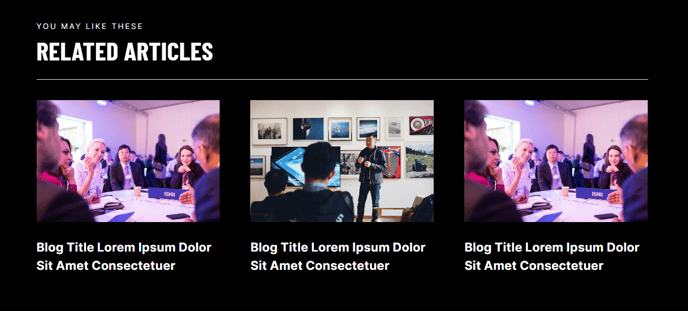
Dynamically generated posts related to the content of the current page.
View a live demo of this module.
Content
- Include a heading
- Show/Hide thumbnail, tag, date, and/or summary
- Choose how many posts to show
- By default, it will pull resources from the portal’s default blog, but you can choose any blog in your portal to pull from
- Choose to show most recent posts, post with certain tags, and/or posts within a certain date range
- Choose where you want the summary to be pulled from and the max character length of the summary
Styles
- Set Light Mode
- Change heading alignment
- Edit heading bottom border
- Edit background, border, and box-shadow of resource items
- Choose aspect ratio and hover animation for images
How to Use This Module
The Related Blog Posts module serves as a powerful engagement tool to keep visitors on your site longer by surfacing relevant content automatically. This module works best when placed at the bottom of blog post templates, landing pages, or resource pages where you want to guide readers to additional valuable content.
When adding this module through HubSpot’s drag-and-drop page editor, you’ll find it particularly effective for content marketing campaigns and lead nurturing sequences. For professional services firms, you can showcase related case studies or thought leadership pieces, while event companies can highlight upcoming events or past success stories.
The module’s intelligent content filtering allows you to create highly targeted content recommendations. For example, you can set up tag-based filtering to show only posts related to specific service offerings or industry verticals. The date range functionality is especially useful during product launches or seasonal campaigns when you want to promote timely content.
Pro tip: Set different character limits for summaries based on your page layout. Shorter summaries (100-150 characters) work well in multi-column layouts, while longer summaries (200-300 characters) are ideal for single-column displays.
The Light Mode styling option ensures the module integrates seamlessly with Brightlane’s clean aesthetic, while the customizable hover animations add subtle interactivity that encourages clicks. When configuring the aspect ratio for thumbnails, consider your typical blog post image dimensions to maintain visual consistency.
For optimal performance, limit the number of displayed posts to 3-6 items to avoid overwhelming visitors while maintaining fast page load speeds. The module automatically excludes the current page from results, ensuring visitors always see fresh content recommendations.