
Upcoming Events [+ only]
A simple list of events with dates.
View a live demo of this module.
Content
- Include a heading
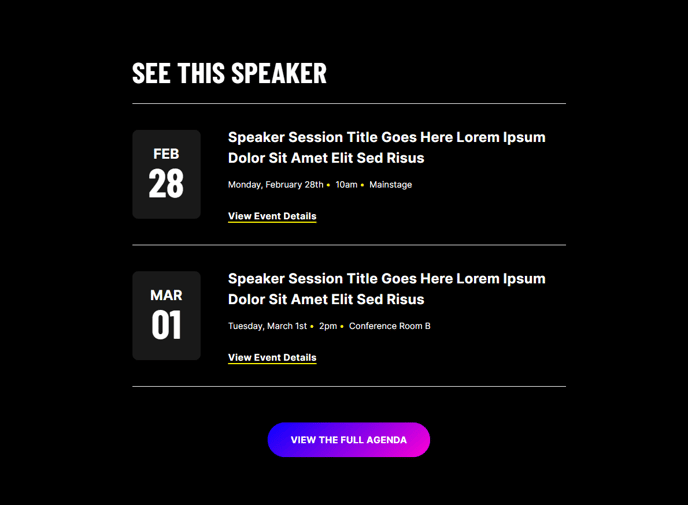
- Include a list of events with dates, text, details, and CTAs
- Include a footer CTA
Styles
- Set Light Mode
- Add “scanline” background style
- Customize the font weight and size of the date
- Customize the background and text color of the date
- Customize the border radius of the date
- Change header alignment
Usage Guide
The Upcoming Events module is designed to showcase your organization’s scheduled events in a clean, scannable format that encourages registration and attendance. This module works particularly well for professional services firms hosting webinars, conferences organizing multi-day agendas, and B2B companies promoting networking events or product launches.
You’ll find this module most effective on your homepage, dedicated events landing pages, or in the sidebar of blog posts related to your upcoming programming. The conversion-focused design ensures your event dates stand out visually while providing clear paths for visitors to learn more or register.
When adding the module through HubSpot’s page editor, you can drag and drop it into any flexible column on your page. Each event entry supports rich text descriptions, making it easy to include speaker names, venue details, or brief event summaries. The built-in CTA functionality allows you to link directly to registration pages, calendar invites, or detailed event descriptions without requiring additional modules.
Pro tip: Use the date styling options to match your brand colors and create visual hierarchy. The customizable border radius lets you choose between sharp, professional edges or softer, more approachable rounded corners depending on your brand personality.
The scanline background style adds subtle visual interest without overwhelming your content—particularly effective when displaying multiple events. For maximum impact, align your header text to match the overall layout of your page, and consider using the Light Mode setting on pages with darker hero sections to create visual contrast that draws attention to your upcoming events.
Remember to keep your event descriptions concise but compelling, focusing on key benefits or featured speakers that will motivate visitors to take action.