
3D Ring Gallery [+ only]
A rotatable gallery of images arranged in a 3D ring.
View a live demo of this section.
Modules
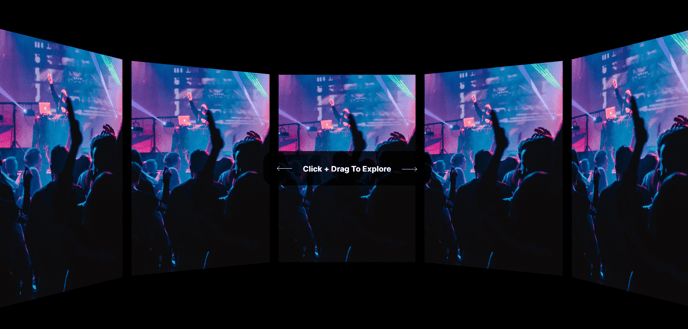
How to Use This Section
The 3D Ring Gallery section creates an immersive, interactive showcase for your content that stands out from traditional flat image galleries. This section works particularly well for professional services firms displaying team photos, event companies showcasing venue spaces, or B2B companies highlighting product features or client logos in an engaging format.
When you add this section to any page through HubSpot’s page editor, you can drag and drop it into your desired position just like any other theme section. The interactive 3D ring rotates smoothly as visitors hover or click, creating a memorable visual experience that encourages longer page engagement.
Best placement strategies include using this section as a hero element on service pages, team pages, or portfolio showcases. It’s also effective as a mid-page feature to break up text-heavy content and re-engage visitors. The section maintains its responsiveness across devices, though the 3D effect is most impactful on desktop and tablet viewing.
For optimal results, use high-quality, consistently-sized images with similar lighting and composition. The ring format works best with 5-8 images – fewer images may look sparse, while too many can overwhelm the visual impact. Consider the viewing sequence since users will see images in rotation order.
The section integrates seamlessly with Brightlane’s overall design system, inheriting your theme’s color scheme and typography settings. You can customize spacing, background options, and heading styles through the standard HubSpot module editor without needing custom CSS.
This section is particularly powerful for conversion-focused pages where you want to showcase credibility through team photos, certifications, or client testimonials in a format that’s more engaging than static galleries.