
Agenda [+ only]
Display a list of events, optionally divided into tabs.
View a live demo of this section.
Modules
Usage Guide
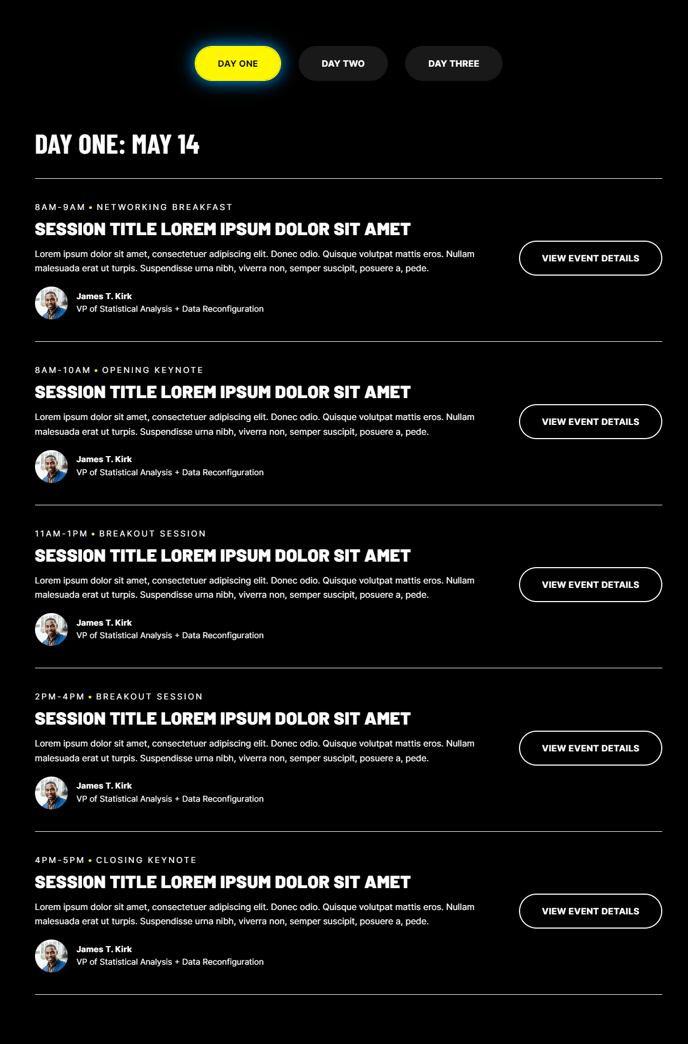
The Agenda section is specifically designed for professional service firms, event organizers, and B2B companies who need to display multiple events or sessions in an organized, scannable format. This section shines when you’re promoting conferences, webinar series, training schedules, or multi-day events where attendees need to quickly find specific sessions or time slots.
You can add this section to any page through HubSpot’s page editor by selecting it from the Brightlane section library. The tabbed layout allows you to organize events by day, track, or category, making it ideal for complex schedules that would otherwise overwhelm visitors with too much information at once. For single-day events or simple listings, you can disable the tab functionality and display everything in one clean list.
When setting up your agenda, consider using this section on dedicated event pages, landing pages for webinar series, or even your main services page if you offer scheduled consultations or workshops. The conversion-focused design ensures that each agenda item can include call-to-action buttons, making it easy for visitors to register or learn more about specific sessions.
Best practice tip: If you’re managing recurring events, set up your agenda items with consistent naming conventions and clear time formats. The section works particularly well when combined with HubSpot’s forms for event registration - you can link agenda items directly to registration pages or embed forms below the section.
For maximum impact, populate the agenda with 3-8 items per tab. Too few items make the section feel sparse, while too many can overwhelm visitors and reduce conversion rates on individual sessions.