
Embedded Map [+ only]
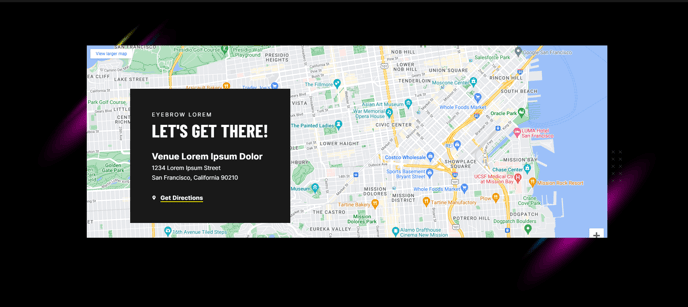
An embedded map with optional overlay text.
View a live demo of this section.
Modules
How to Use This Section
The Embedded Map section is designed to showcase your business location or event venue with visual impact. This section combines a responsive Google Maps embed with customizable overlay text, making it ideal for contact pages, office location pages, event landing pages, and service area presentations.
When you add this section to your page through the HubSpot page editor, you can drag and drop it anywhere in your page layout. The section automatically adapts to your Brightlane theme styling while maintaining optimal performance across desktop and mobile devices.
Best practices for implementation:
- Use the overlay text to highlight your address, hours of operation, or parking instructions
- Consider placing this section near your contact form or office details for better user experience
- For events, include venue-specific information like entrance details or landmark references
- The map embed supports zoom controls and street view, allowing visitors to explore the location interactively
Recommended page types:
- Contact and location pages for professional services
- Event registration and information pages
- Office or facility showcase pages
- Service area overview pages
The section works particularly well when paired with other Brightlane contact-focused sections. You can customize the overlay text styling through the module settings, ensuring it aligns with your brand colors and maintains readability over the map background. The responsive design ensures the map remains functional and visually appealing on all screen sizes, with touch-friendly controls on mobile devices.
For multi-location businesses, consider using multiple instances of this section with different map locations and customized overlay content for each office or service area.