
Featured Speaker
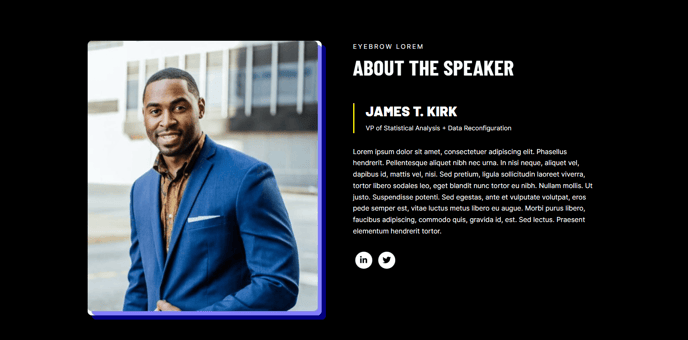
A large image and text for displaying the details of a speaker or person.
View a live demo of this section.
Modules
How to Use This Section
The Featured Speaker section is designed to spotlight individual presenters at conferences, webinars, or corporate events with maximum visual impact. This section combines a prominent hero-style image with detailed biographical content, making it ideal for event pages, speaker announcement posts, and team member spotlights.
You can add this section to any page in your HubSpot site by opening the page editor and selecting “Add section” from the left sidebar. The Featured Speaker section appears under the Brightlane theme sections and can be dropped anywhere on your page layout.
When to choose this section: Use the Featured Speaker section when you need more visual prominence than a standard bio module provides. It’s particularly effective on dedicated speaker pages, event landing pages, or as the hero section for keynote announcements. The large image format makes it perfect for building credibility and personal connection with your audience.
Content best practices: Upload high-resolution professional headshots at least 800px wide for optimal display across devices. The text area supports rich formatting, so you can include speaker credentials, company affiliations, and session topics using bullet points or paragraph breaks. Consider adding social media links or contact information to encourage networking.
Customization options: Through the HubSpot page editor, you can adjust the image position, modify text alignment, and customize colors to match your event branding. The section automatically adapts to mobile devices, ensuring your speaker information remains readable and visually appealing on all screen sizes.
This section works exceptionally well when paired with agenda or event details sections below it, creating a comprehensive speaker showcase that drives event registration and attendance.