
Hero - Carousel [+ only]
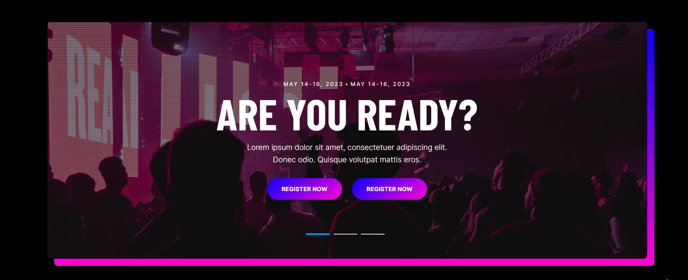
A hero with multiple slides.
View a live demo of this section.
Modules
Usage Guide
The Hero - Carousel section provides a dynamic, multi-slide homepage experience that’s perfect for showcasing multiple value propositions, services, or key messages without overwhelming your visitors. Unlike static hero sections, this carousel format allows you to present several focused messages in the same prime real estate at the top of your page.
When to choose this section: Use the carousel hero when you need to highlight multiple core services, feature different client success stories, or present various aspects of your business offering. This section works particularly well for professional services firms that serve multiple industries or B2B companies with diverse product lines.
To add this section to any page in the Brightlane theme, simply open the page editor and drag the “Hero - Carousel [+ only]” section from your available sections menu. The section will automatically include the properly configured Hero - Carousel module with optimized spacing and styling that matches your theme settings.
Content strategy tips: Keep each slide focused on a single message or value proposition. Aim for 3-5 slides maximum to prevent decision paralysis. Each slide should have a clear call-to-action that guides visitors toward their next step, whether that’s scheduling a consultation, downloading a resource, or exploring your services.
The carousel automatically adapts to your brand colors and typography settings configured in the theme customizer. You can adjust transition timing, enable or disable auto-play, and customize navigation controls through the module settings. For optimal conversion performance, ensure your most important message appears in the first slide, as this receives the highest engagement from visitors who don’t interact with the carousel controls.