
Hero - Feature [+ only]
A full-width hero.
View a live demo of this section.
Modules
- Hero - Feature
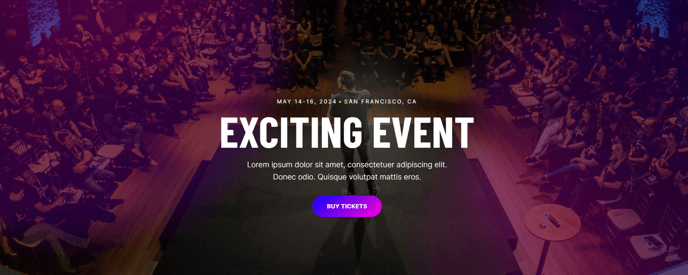
Usage Guide
The Hero - Feature section creates a powerful first impression for your professional services or B2B landing pages. This full-width hero section is designed to capture visitor attention immediately when they arrive on your site, making it ideal for homepage headers, service landing pages, or campaign-specific pages where conversion is your primary goal.
When you add this section through HubSpot’s page editor, you can drag and drop it directly onto any page using the Brightlane theme. The section automatically adapts to your theme settings, pulling in your brand colors and typography to maintain consistency across your site. This is particularly valuable for B2B companies that need to establish credibility and professionalism from the moment visitors land on their pages.
Best practices for this hero section:
- Use it on high-traffic entry points like your homepage, primary service pages, or paid advertising landing pages where you need maximum visual impact
- The full-width design works exceptionally well for showcasing your key value proposition or announcing major events and initiatives
- Consider placing it above other Brightlane sections that provide supporting details, such as feature grids or testimonial blocks
The Hero - Feature module within this section offers flexible content options through HubSpot’s intuitive editing interface. You can easily update headlines, descriptions, call-to-action buttons, and background imagery without any coding knowledge. This makes it perfect for marketing teams who need to quickly iterate on messaging or launch time-sensitive campaigns.
For events and professional services specifically, this hero section excels at highlighting key dates, speaker announcements, or service differentiators that need prominent placement on your pages.