
Image Gallery
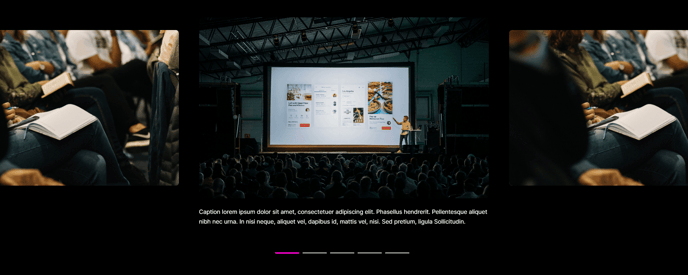
A full-width section with image gallery slider and captions.
View a live demo of this section.
Modules
Usage Guide
The Image Gallery section delivers a striking full-width visual showcase that’s perfect for highlighting portfolios, case studies, event photography, or product demonstrations. This section transforms your standard image displays into an engaging slider experience that keeps visitors on your page longer.
When editing your page in the HubSpot CMS, you’ll find this section under the Sections panel in the page editor. Simply drag it into your desired position on any page template. The section automatically spans the full width of your browser window, creating an immersive viewing experience that breaks up text-heavy content.
Choose this section when you need to:
- Display multiple related images without cluttering your page layout
- Create visual breaks between content sections
- Showcase work samples or event highlights with context
- Present before/after comparisons or step-by-step processes
The included captions feature allows you to add descriptive text or calls-to-action beneath each image, making this section particularly valuable for storytelling. You can customize the slider’s behavior through the theme settings, including autoplay timing and navigation styles.
For professional services firms, use this section to display team events, office spaces, or project outcomes. Event companies can showcase venue setups, past events, or vendor partnerships. B2B organizations benefit from featuring product demonstrations, facility tours, or customer success stories.
The section’s clean design maintains Brightlane’s conversion-focused approach while providing visual interest. Unlike basic image modules, this gallery keeps users engaged through interactive navigation while maintaining fast loading speeds optimized for mobile devices.