
Pricing Boxes
A set of boxes for comparing prices of products.
View a live demo of this section.
Modules
How to Use This Section
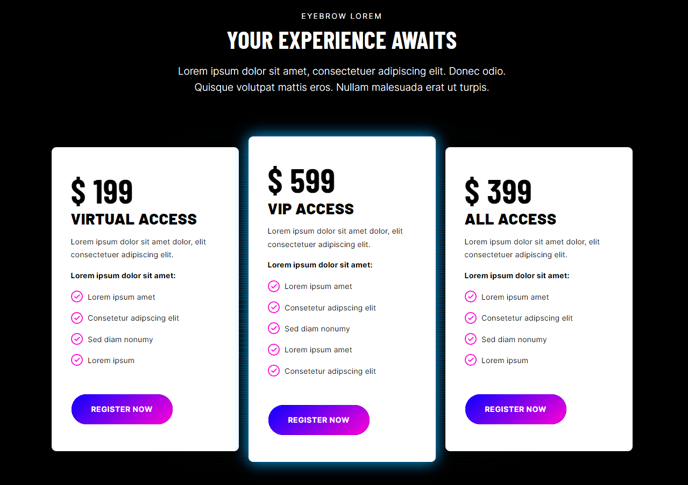
The Pricing Boxes section is designed to showcase your service tiers, product packages, or subscription plans in a visually compelling comparison format. This section works particularly well on dedicated pricing pages, service overview pages, or as a conversion-focused element on your homepage.
When you add this section to any page through the HubSpot page editor, you’ll get a pre-configured layout that combines introductory text with structured pricing comparisons. The Theme Rich Text module at the top allows you to add context above your pricing options—perfect for explaining your value proposition, highlighting special offers, or addressing common pricing questions before visitors review their options.
The Pricing Boxes module displays your plans in a clean, scannable grid that makes feature and price comparisons effortless. You can configure each pricing box with custom titles, pricing amounts, feature lists, and call-to-action buttons. The module supports highlighting a “recommended” or “most popular” plan to guide visitor decision-making.
Best practices for this section: Use the rich text area to build trust and reduce pricing objections before presenting your options. Keep feature lists concise and benefit-focused rather than technical. Consider A/B testing different pricing arrangements—the drag-and-drop nature of HubSpot’s page editor makes it easy to duplicate pages and test variations.
This section is particularly effective for B2B service providers who need to clearly communicate different service levels, SaaS companies presenting subscription tiers, or event organizers offering multiple ticket types. The clean design maintains Brightlane’s professional aesthetic while keeping the focus on conversion.