
Related Blogs
A showcase of blog posts.
View a live demo of this section.
Modules
How to Use This Section
The Related Blogs section is designed to boost engagement by showcasing relevant blog content throughout your Brightlane site. You can add this section to any page using HubSpot’s drag-and-drop page editor, making it particularly valuable for service pages, landing pages, and your main blog template where you want to guide visitors to additional resources.
Visual Layout and Design
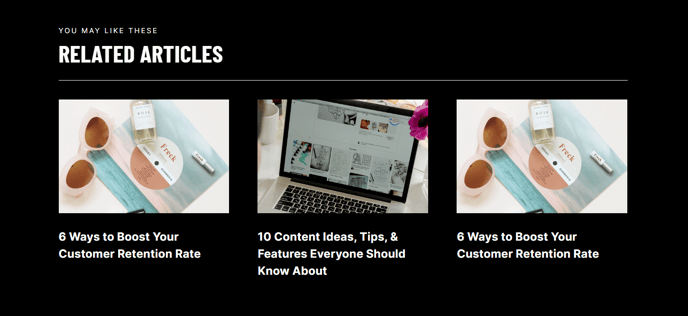
This section presents blog posts in a clean, grid-based layout that maintains Brightlane’s professional aesthetic. The cards display featured images, publish dates, titles, and excerpts, creating an organized showcase that encourages clicks without overwhelming your primary page content. The responsive design ensures your blog previews look polished across all devices.
Strategic Placement Recommendations
Position this section at the bottom of service pages to demonstrate your expertise through relevant thought leadership content. On landing pages, place it after your main call-to-action to provide additional value for visitors who aren’t ready to convert immediately. The section works exceptionally well on your main blog template to cross-promote related articles and increase time on site.
Content Management Tips
The Related Blog Posts module within this section can automatically pull content based on blog tags or topics, or you can manually curate specific posts. To maximize effectiveness, ensure your blog posts have compelling featured images and well-crafted excerpts, as these elements directly impact click-through rates. You can adjust the number of displayed posts through the module settings in the page editor.
Customization Options
Like all Brightlane sections, you can modify colors, spacing, and typography through your theme settings to match your brand guidelines while maintaining the conversion-focused design principles that make this theme effective for professional services and B2B companies.