
Simple Form
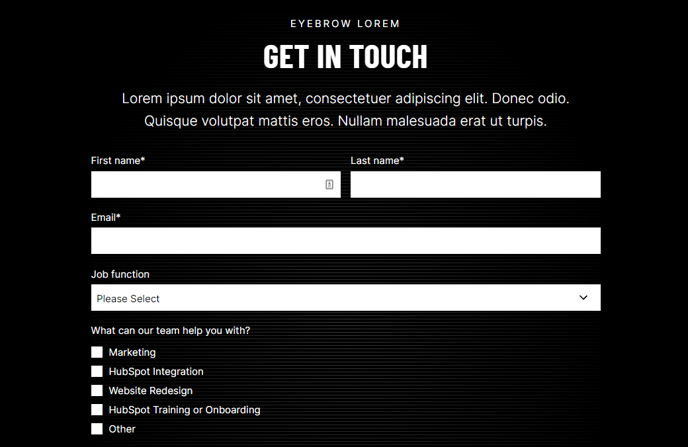
Simple form with a heading.
View a live demo of this section.
Modules
How to Use This Section
The Simple Form section provides a streamlined way to capture leads on your HubSpot pages without overwhelming visitors with complex layouts. This section is ideal when you want to maintain focus on form completion while providing just enough context through a clear heading.
To add this section to any page in your Brightlane theme, open the page editor and drag the Simple Form section from the sections panel into your desired location. The section automatically centers the form and heading for optimal visual balance across desktop and mobile devices.
When to choose this section: Use the Simple Form when you need a clean, distraction-free conversion point on landing pages, contact pages, or anywhere you want to prioritize form submissions over additional content. This works particularly well for event registrations, consultation requests, or newsletter signups where simplicity drives better conversion rates.
The section’s built-in Theme Form module connects directly to your HubSpot CRM, automatically creating contacts and tracking form analytics. You can customize the heading text to match your specific campaign or page purpose—consider using action-oriented language like “Get Your Free Consultation” or “Register for the Event.”
For styling consistency with your brand, the section inherits your theme’s global typography and color settings. You can adjust spacing and form field configurations through the module settings without affecting the overall layout integrity.
Pro tip: This section pairs effectively with hero sections or content blocks above it to provide context, then focuses visitor attention on the conversion action. Avoid placing multiple forms on the same page when using this section, as its design assumes it’s the primary conversion element.