
Tabs
Tabbable content section.
View a live demo of this section.
Modules
How to Use This Section
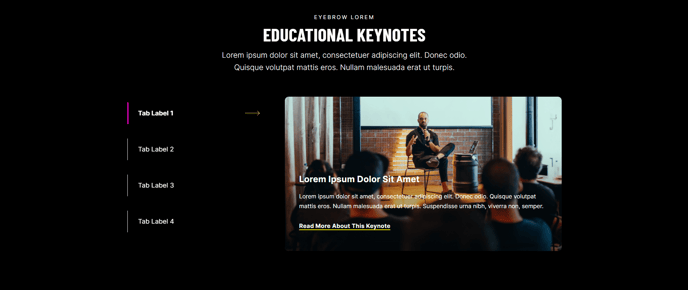
The tabs section provides an organized way to display multiple pieces of related content in a compact, interactive format that’s perfect for professional services and B2B websites. This section works exceptionally well when you need to present detailed information without overwhelming your visitors with lengthy page content.
When to choose the tabs section: Use this section on service pages to showcase different service tiers, on product pages to display features and specifications separately, or on landing pages to present multiple value propositions. The tabbed layout is particularly effective for FAQ sections, case study details, or any scenario where you want visitors to explore content at their own pace.
The section’s clean design aligns perfectly with Brightlane’s conversion-focused approach by reducing cognitive load while maintaining easy access to comprehensive information. You can add this section to any page through HubSpot’s drag-and-drop page editor by selecting it from the sections panel.
Setup recommendations: When configuring your tabbed content, keep tab labels concise and descriptive—ideally 1-3 words that clearly indicate what visitors will find in each tab. Organize your most important or frequently accessed content in the first tab, as this will be visible by default when visitors land on your page.
The section maintains consistent styling with your theme settings, automatically adapting to your chosen fonts and color scheme. For optimal user experience, limit yourself to 3-5 tabs per section to prevent the interface from becoming cluttered on mobile devices.
Consider using the tabs section near the top of service pages or in the middle of longer content pieces to break up text-heavy areas and encourage deeper engagement with your content.