
Two Column - Image Left
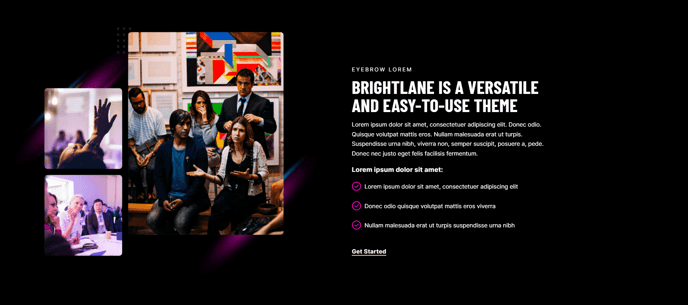
Two columns with text on the right and image on the left.
View a live demo of this section.
Modules
Usage Guide
The Two Column - Image Left section creates a balanced visual layout perfect for showcasing your services, team members, or key features with compelling imagery. This section works exceptionally well for professional services pages where you need to build trust through visuals while maintaining clear, scannable content.
When adding this section to your page through HubSpot’s drag-and-drop editor, you’ll find it automatically inherits the Brightlane theme’s conversion-focused styling. The left-aligned image creates a natural reading flow that guides visitors from the visual element to your key messaging on the right.
Best use cases include service descriptions with supporting graphics, team introductions with headshots, case study highlights, or product feature explanations. This section particularly shines on landing pages where you need to quickly communicate value propositions without overwhelming visitors.
To optimize your content, ensure your image dimensions are consistent if you’re using multiple instances of this section on the same page. The Brightlane theme automatically handles responsive behavior, but square or landscape-oriented images typically perform better than tall portraits in this layout.
Content strategy tip: Use the right column for scannable bullet points, short paragraphs, or call-to-action elements. The visual weight of the left-side image naturally draws attention, making the adjacent text more impactful when kept concise.
Consider alternating between “Image Left” and “Image Right” sections when stacking multiple content blocks to create visual rhythm and prevent your page from feeling repetitive. This approach works particularly well for multi-step processes or feature comparisons where you want to maintain engagement throughout longer page experiences.