
Agenda [+ only]
Display a list of events optionally grouped into tabs.
Default Sections and Modules
How to Use the Agenda Template
The Agenda template is specifically designed for event organizers, conference hosts, and professional service companies who need to present scheduled events in a structured, professional format. This template excels when you’re hosting multi-day conferences, workshops, or recurring events that require clear time-based organization.
Setting Up Your Event Schedule
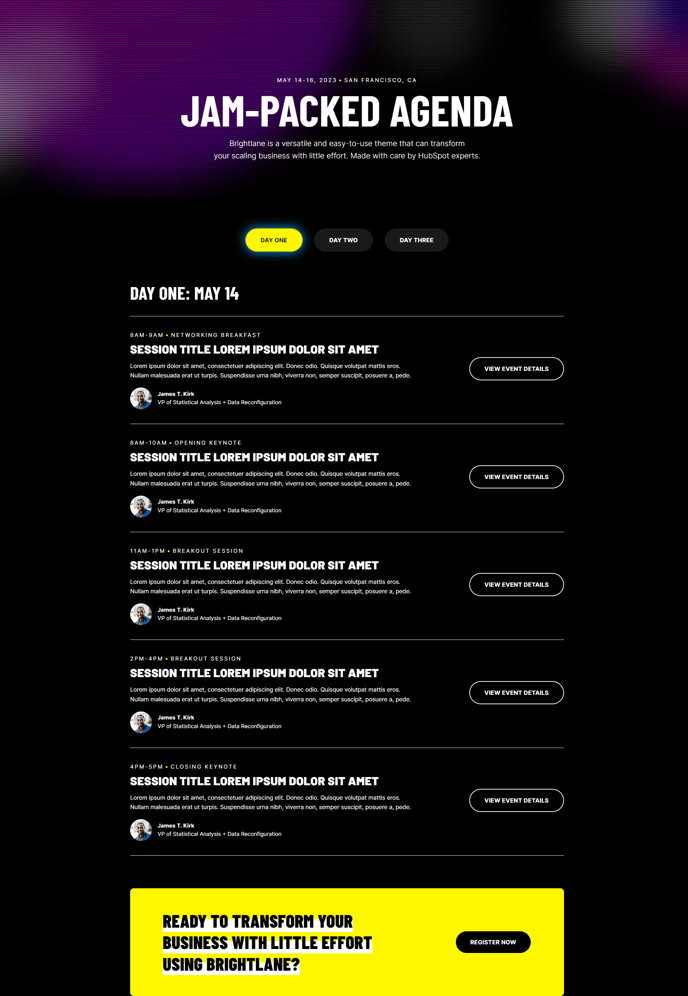
When you create a new page using the Agenda template, you’ll find the core Agenda section pre-configured in the page editor. This section allows you to organize events into tabbed categories such as “Day 1,” “Day 2,” or “Workshops,” “Keynotes,” making it easy for visitors to navigate complex schedules. You can add, remove, or reorder these tabs directly through the module editor without any coding knowledge.
Customization Options
The Hero section includes a distinctive scanline effect that adds visual interest while maintaining professional appeal. You can customize the hero content to feature your event’s main message, dates, or registration information. The Call to Action Box section positioned at the bottom creates a natural conversion point for event registration or contact forms.
Content Management Tips
For optimal results, organize your agenda items chronologically within each tab and include essential details like speaker names, session descriptions, and time slots. The template’s clean design ensures your content remains readable even with dense scheduling information. You can easily modify colors, fonts, and spacing through the theme settings to match your brand guidelines.
Best Practices
Consider using this template for industry conferences, training seminars, corporate events, or any occasion where attendees need quick access to scheduling information. The mobile-responsive design ensures your agenda displays perfectly on all devices, crucial for on-the-go event attendees.