
Blog Listing
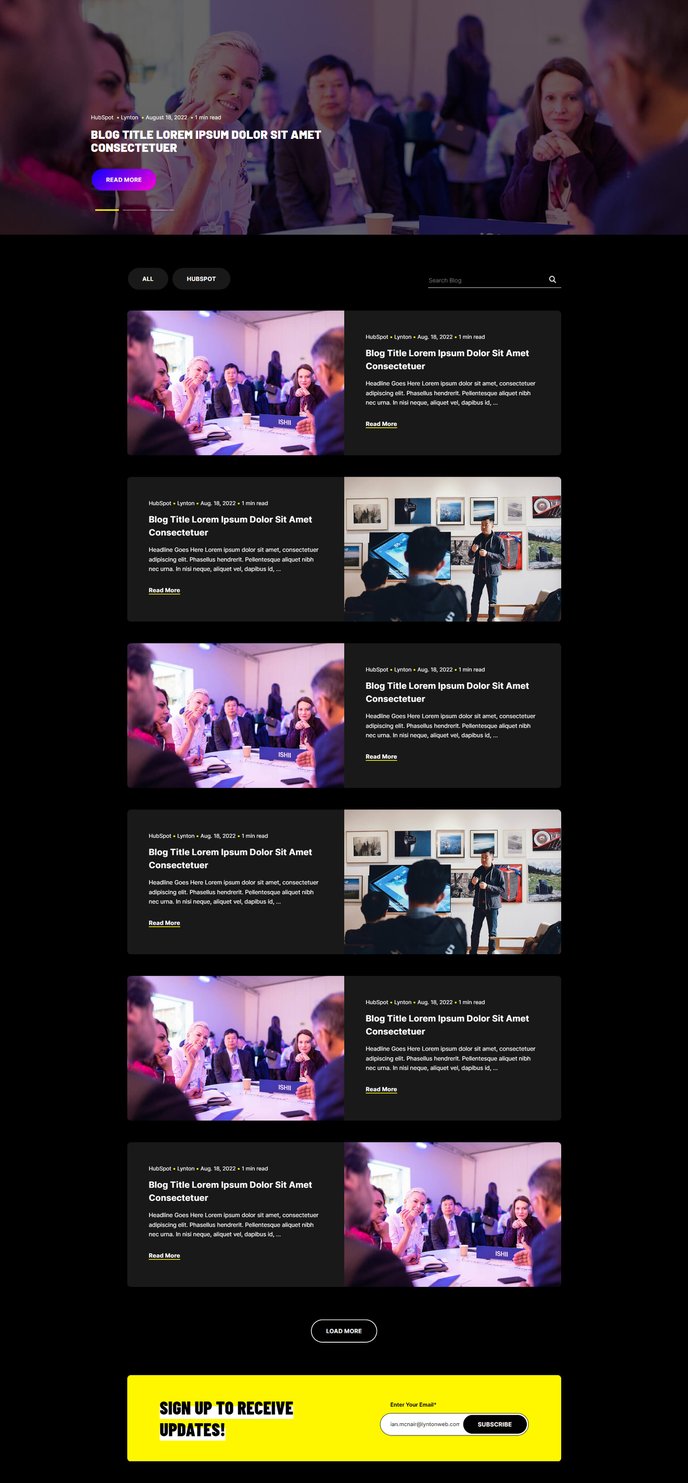
A filterable, searchable, infinite-load blog listing topped by a set of featured posts.
Note: Read this HubSpot knowledge base article for a guide on applying template to your blog listing and editing the listing page.
Default Modules:
Setting Up Your Blog Listing Template
The Brightlane Blog Listing template transforms your standard HubSpot blog into a powerful content discovery hub that drives visitor engagement and conversions. This template is specifically designed for professional services and B2B companies who need to showcase thought leadership content while maintaining clear conversion paths.
Template Configuration
When you apply this template to your blog listing page through the HubSpot page editor, you’ll immediately gain access to the featured posts section at the top, which allows you to highlight your most important content. You can configure which posts appear as featured through the Blog Featured Posts module settings, giving you editorial control over what visitors see first.
The infinite-load functionality eliminates pagination, creating a seamless browsing experience that keeps visitors engaged longer on your site. This is particularly valuable for B2B content strategies where you want prospects to consume multiple pieces of content during their research phase.
Customization Tips
Use the drag-and-drop editor to adjust module positioning based on your content strategy. The Call to Action Box module can be repositioned between blog sections to capture leads at optimal moments. Consider placing lead magnets or consultation offers strategically within the listing flow.
The search and filter capabilities help visitors find relevant content quickly, which is essential for professional services firms with diverse service offerings. You can customize filter categories through your blog topic settings in HubSpot, ensuring the filtering aligns with your content taxonomy and business segments.
Best Practices
Regularly update your featured posts to reflect current campaigns or seasonal content priorities. The template’s conversion-focused design works best when you maintain fresh, relevant content in the featured section and ensure your CTA modules align with your current marketing objectives.