
Blog Post
A blog post including call to action, author information, social sharing, and related resources.
Note: Read this HubSpot knowledge base article for a guide on applying a template to your blog posts.
Default Modules in Global Content:
Note**:** Updating Global Content will make the changes across all blog posts.
Default Modules:
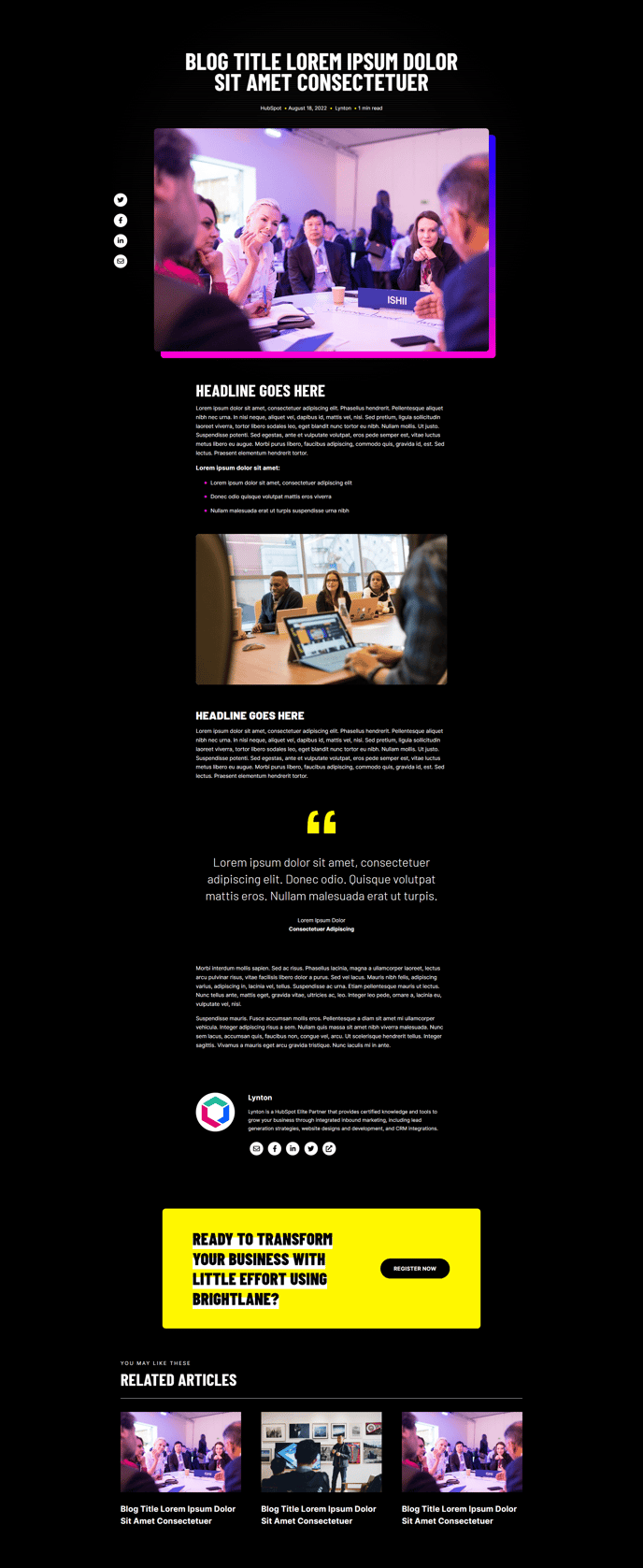
Overview
The Brightlane Blog Post template is specifically designed to maximize reader engagement and drive conversions from your content marketing efforts. Unlike standard blog templates, this layout strategically positions conversion elements throughout the reading experience without disrupting the content flow.
When you apply this template to your blog posts in the HubSpot page editor, you’ll notice the modular structure allows for easy customization while maintaining professional consistency. The template automatically inherits your Global Content settings, ensuring your hero section and branding elements remain consistent across all blog posts. You can modify individual posts by adding, removing, or rearranging modules using HubSpot’s drag-and-drop editor without affecting your other blog content.
The conversion-focused design includes strategically placed call-to-action elements that appear at optimal reading points. The Call to Action Box module typically performs best when positioned after your main content but before related posts, where readers are most engaged with your topic. You can customize this CTA through the module settings to promote relevant lead magnets, services, or product demos.
For professional services and B2B companies, the Blog Author module builds credibility and personal connection with prospects. You can enhance author profiles by uploading professional headshots and detailed bios through your HubSpot user settings.
The Related Blog Posts module uses HubSpot’s topic clustering to automatically suggest relevant content, keeping visitors engaged longer and improving your site’s SEO performance. Configure the number of related posts and display preferences through the module settings to match your content strategy.
To optimize performance, consider enabling social sharing for thought leadership content and disabling it for more technical or internal-focused posts using the Social Sharing module controls.