
Blog Post - Case Study [+ only]
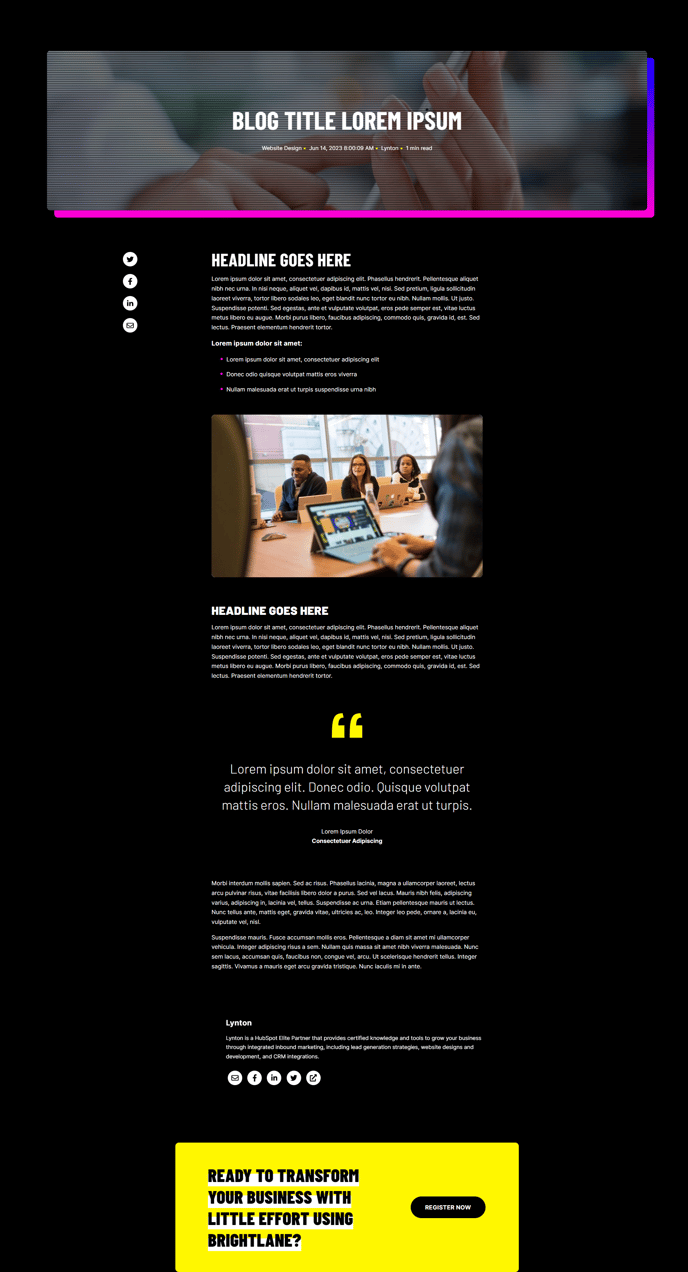
A blog post including call to action, author information, social sharing, optional related resources, and a boxed-in hero.
Note: Read this HubSpot knowledge base article for a guide on applying a template to your blog posts.
Default Modules in Global Content:
Note**:** Updating Global Content will make the changes across all blog posts.
Default Modules:
Usage Guide
The Blog Post - Case Study template is specifically designed to showcase client success stories and detailed project outcomes in a format that drives conversions. This template differs from standard blog post layouts by emphasizing credibility and social proof through its structured approach to presenting case study content.
When you apply this template to your blog posts in the HubSpot page editor, you’ll notice the boxed-in hero section creates visual separation that draws attention to your case study headline and key metrics. This design choice helps visitors immediately understand they’re reading a success story rather than a typical blog article.
The template’s conversion-focused elements work particularly well for professional services firms showcasing client results, B2B companies highlighting customer transformations, and agencies presenting project outcomes. Use this template when your content includes specific metrics, before/after scenarios, or detailed implementation processes that demonstrate your expertise.
To maximize effectiveness, customize the Call to Action Box module to align with your case study’s objective—whether that’s scheduling consultations, downloading related resources, or contacting your sales team. The Related Blog Posts module should be configured to surface similar case studies or relevant service pages to keep visitors engaged with your success stories.
Consider enabling the Social Sharing module’s LinkedIn integration specifically, as case studies perform well on professional networks where your target audience is most active. The Blog Author section gains additional importance with case studies since readers want to understand the expertise behind the results presented.
When editing in HubSpot’s drag-and-drop editor, you can rearrange these modules based on your content flow, but the template’s default sequence is optimized for case study storytelling and lead generation.