
Case Study Listing [+ only]
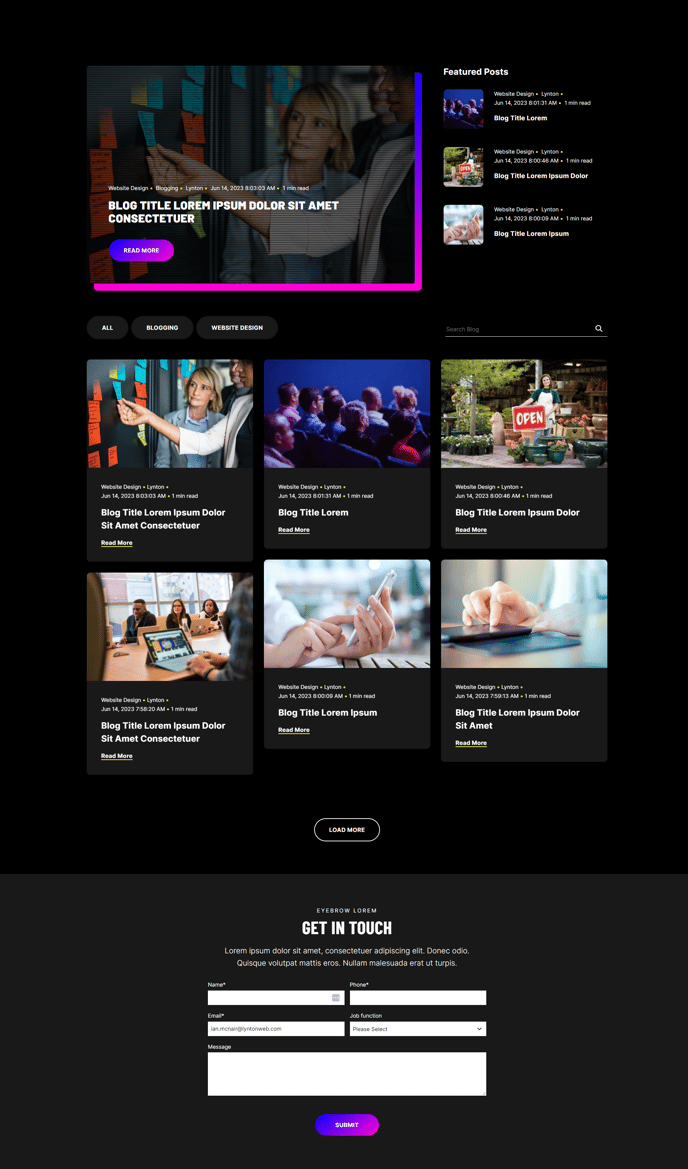
A filterable, searchable, infinite-load blog listing with a masonry layout topped by a set of featured posts.
Note: Read this HubSpot knowledge base article for a guide on applying template to your blog listing and editing the listing page.
Default Sections and Modules:
How to Use This Template
The Case Study Listing template is specifically designed to showcase your client success stories and case studies in an engaging, professional format. Unlike a standard blog listing, this template emphasizes visual storytelling through its masonry layout, which displays your case studies in an attractive grid that automatically adjusts based on content length and featured images.
When you apply this template to your case study blog in the HubSpot page editor, you’ll notice the featured posts section at the top highlights your most important success stories. You can configure which posts appear here by using HubSpot’s featured post settings in your blog dashboard. This is perfect for showcasing your biggest wins or most recent client achievements.
The infinite-scroll functionality means visitors can browse through all your case studies without pagination, creating a seamless user experience that keeps prospects engaged with your content. The built-in search and filter capabilities allow visitors to find relevant case studies based on industry, service type, or other criteria you’ve tagged in your blog posts.
To maximize this template’s effectiveness, ensure your case study blog posts include compelling featured images and consistent tagging. The masonry layout works best when you maintain visual consistency across your case study thumbnails. You can customize the color scheme and spacing through the theme settings panel to match your brand guidelines.
Consider using this template for industries where social proof is crucial—professional services, agencies, and B2B companies will find the conversion-focused design particularly effective for moving prospects through the sales funnel. The clean layout ensures your case study content remains the hero while providing easy navigation and discovery options.