
Home - Multi-Event [+ only]
Feature your most important content, optimized to show multiple events to let users know who you are and what you do.
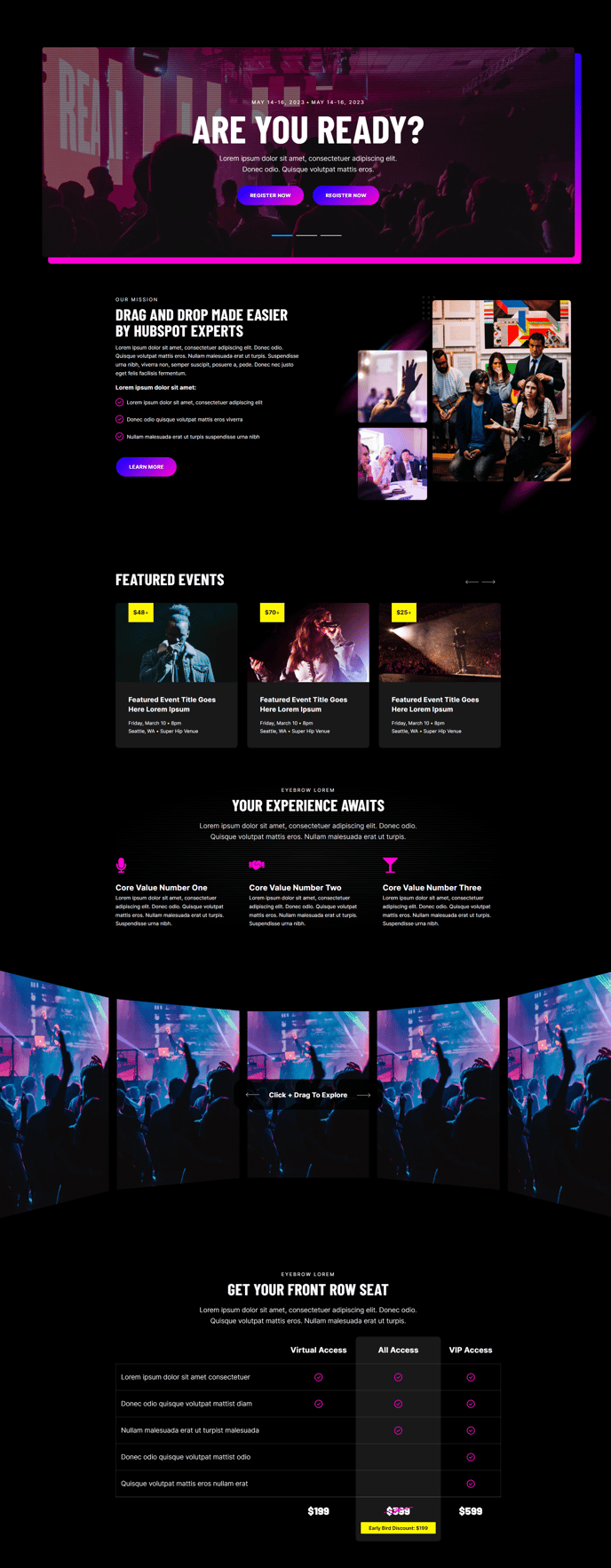
Default Sections and Modules
- Back to Top
- Hero - Carousel
- Two Column - Image Right
- Featured Events Slider
- Featured Items - Horizontal
- 3D Ring Gallery
- Comparison Table
- Call to Action Box
How to Use This Template
The Home - Multi-Event template is specifically designed for organizations that regularly host multiple events and need to showcase them prominently on their homepage. This template works exceptionally well for conference organizers, training companies, professional associations, and B2B service providers who use events as a primary lead generation strategy.
What sets this template apart from other Brightlane homepage options is the Featured Events Slider section, which automatically pulls event data from your HubSpot event pages and displays them in an engaging carousel format. This means you won’t need to manually update your homepage every time you add new events—the template dynamically showcases your most current offerings.
When setting up this template in the HubSpot page editor, start by configuring the Hero Carousel with compelling messaging that establishes your authority in your industry. The Two Column - Image Right section works perfectly for introducing your organization’s mission or highlighting your unique value proposition, while the 3D Ring Gallery can showcase past event highlights, speaker photos, or company achievements.
Pro tip: Use the Comparison Table section to differentiate between your event types or service tiers. This is particularly effective for organizations offering both in-person and virtual events, or different levels of training programs.
The template’s conversion-focused design ensures that each section guides visitors toward your events. Position your most important call-to-action in the Call to Action Box section, and consider using the Featured Items - Horizontal section to highlight key speakers, testimonials, or event benefits. Remember to customize the theme’s global settings to match your brand colors and typography before publishing to ensure consistency across all sections.