
Landing
Provide specific information or feature content to download.
Default Sections and Modules:
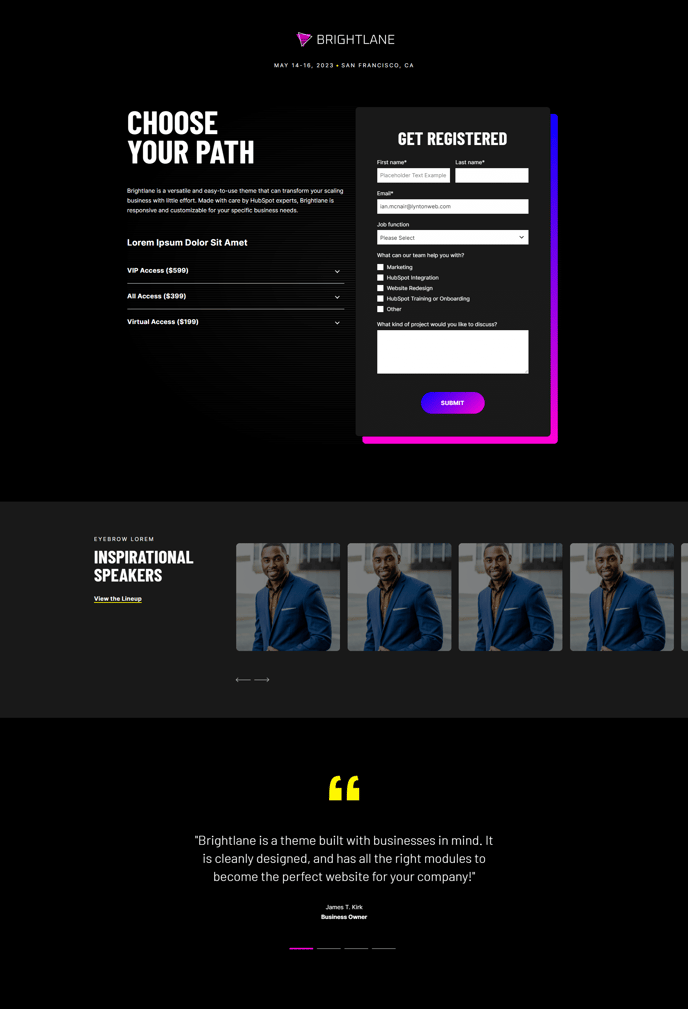
How to Use This Template
The Landing template is specifically engineered for high-converting lead generation campaigns in the Brightlane theme. Unlike the standard page templates, this template strips away navigation distractions and focuses entirely on driving visitors toward a single conversion goal—whether that’s downloading a whitepaper, registering for an event, or accessing gated content.
Setting Up Your Landing Page
When creating a new page in your HubSpot CMS, select the Landing template from the page creation wizard. The template automatically loads with conversion-optimized sections that you can customize through the page editor’s drag-and-drop interface. The Hero - Form section positions your value proposition and lead capture form above the fold, ensuring maximum visibility for your primary call-to-action.
Optimizing for Professional Services
The included Speakers Slider works exceptionally well for webinars, conferences, and professional service offerings where credibility and expertise matter. You can easily swap speaker profiles through the module settings without touching any code. Similarly, the Testimonial Slider provides social proof that’s crucial for B2B conversions.
Content Strategy Tips
Keep your Theme Rich Text sections focused and scannable—landing pages perform best with concise, benefit-driven copy. Use the HubSpot Logo module strategically to build trust, especially important for gated content where visitors are sharing contact information. The Back to Top module becomes valuable on longer landing pages with multiple proof points.
Configure your form fields in the Hero - Form section to balance lead quality with conversion rates. For professional services, requesting company size or industry often provides valuable segmentation data without significantly impacting form completion rates.