
Session
Provide information about a specific session or event.
Default Sections and Modules
- Back to Top
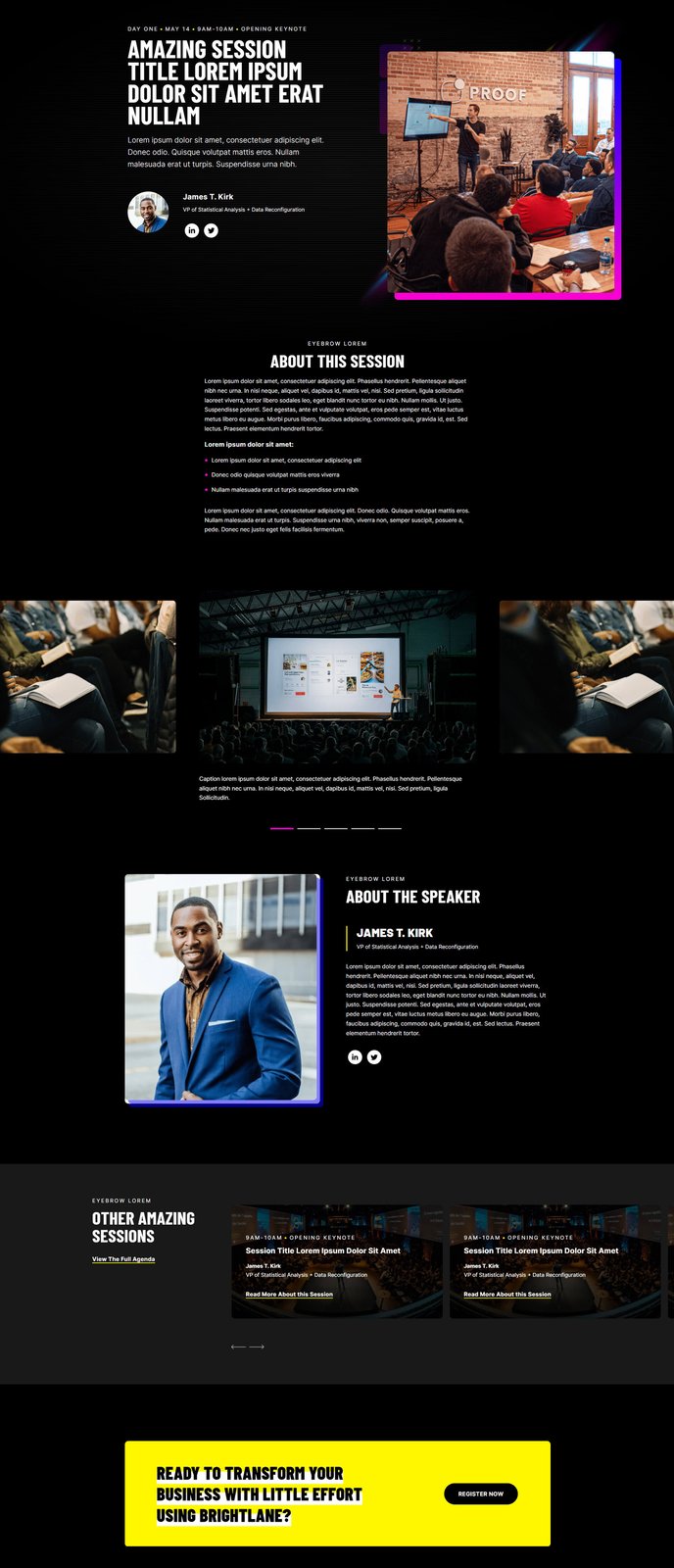
- Hero - Speaker
- Simple Text
- Image Gallery
- Featured Speaker
- Keynotes Slider
- Call to Action Box
How to Use This Template
The Session template is specifically designed to showcase individual events, workshops, or conference sessions within your professional services or B2B marketing strategy. This template excels when you need to provide detailed information about a specific presentation, training session, or event offering while maintaining a conversion-focused layout.
Setting Up Your Session Page
When creating a new page with the Session template, you’ll find it includes a carefully curated selection of sections that guide visitors through your session information naturally. The Hero - Speaker section immediately establishes credibility by featuring your presenter, while the Simple Text section allows you to provide comprehensive session details, agenda items, and learning objectives.
You can easily customize the template using HubSpot’s drag-and-drop page editor. The Image Gallery section works particularly well for showcasing past event photos, venue images, or visual materials from your presentation. If you’re promoting a series of related sessions, the Keynotes Slider becomes invaluable for cross-promoting other offerings.
Optimizing for Conversions
The Featured Speaker and Call to Action Box sections are strategically positioned to convert visitors into registrants. Use the Featured Speaker section to build authority and trust by highlighting your presenter’s credentials and expertise. The Call to Action Box should focus on your primary conversion goal - whether that’s event registration, downloading session materials, or booking a consultation.
Theme Settings Integration
Remember to configure your theme settings to ensure consistent branding across all session pages. The template inherits your primary brand colors and typography choices, creating a cohesive experience that reinforces your professional services brand throughout the visitor journey.