
Menu
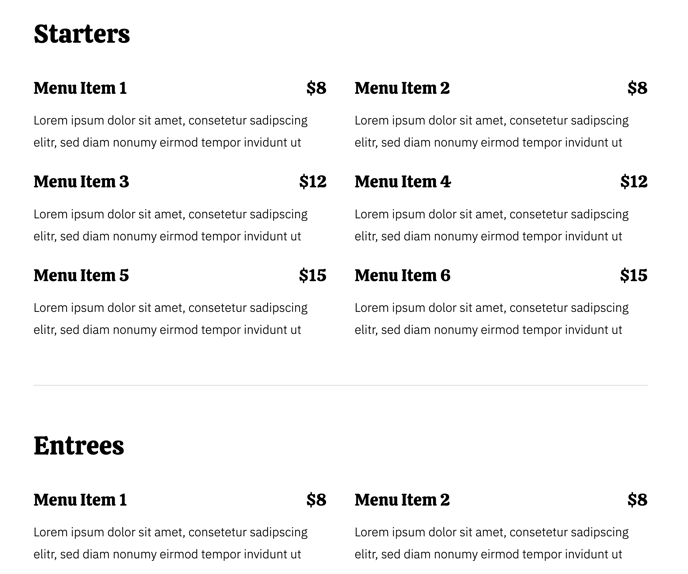
Muti-section layout with custom section IDs and unlimited menu items.
View a live demo of this module.
Content
- Add as many sections which include heading, ID, and menu items
- Add as many menu items under each section. Menu item includes label/name of the item, description, and price
Styles
- Can be set to Dark Mode
- Change the number of items per row (1 - 4)
- Change gutter sizes (horizontal and vertical)
- Change heading sizes (section heading and menu item label)
Usage Guide
The Menu module is specifically designed for restaurants, cafes, food trucks, and other food service businesses using the Bussin theme. This drag-and-drop module transforms your HubSpot CMS pages into comprehensive digital menus that customers can easily browse on any device.
When to use this module: Add the Menu module to dedicated menu pages, homepage sections showcasing featured items, or within landing pages for special promotions. It works particularly well on pages with minimal navigation distractions, allowing visitors to focus entirely on your food offerings.
Setting up your menu structure: In the HubSpot page editor, you can organize your menu by creating logical sections like “Appetizers,” “Entrees,” “Desserts,” or “Daily Specials.” The custom section IDs feature is especially useful for creating anchor links in your navigation, allowing customers to jump directly to specific menu categories from a table of contents or sticky navigation bar.
Optimizing for mobile customers: Since many visitors will view your menu on mobile devices, experiment with the items-per-row setting. Single-column layouts (1 item per row) often provide the best mobile experience for detailed menu descriptions, while 2-3 items per row work well on desktop for categories with shorter descriptions.
Pro tip for food photography: If you’re using images alongside menu items, maintain consistent aspect ratios and lighting across all photos. The gutter spacing controls help create visual breathing room between items, making your menu feel organized rather than cluttered.
The Dark Mode styling option creates an upscale, sophisticated appearance that works exceptionally well for fine dining establishments or evening-focused businesses like wine bars and cocktail lounges.