
Testimonials Slider
A slider with an image and testimonial with a customizable appearance.
Note: The section this module is added to should have its Content Alignment set to Full width.
View a live demo of this module.
Content
- Include heading
- Each slide contains featured image, stars, quote, name, title, profile photo for name, and optional eyebrow text
- Edit screen reader text for slider (next button, previous button, pagination, etc)
Styles
- Change slide text background and dark mode
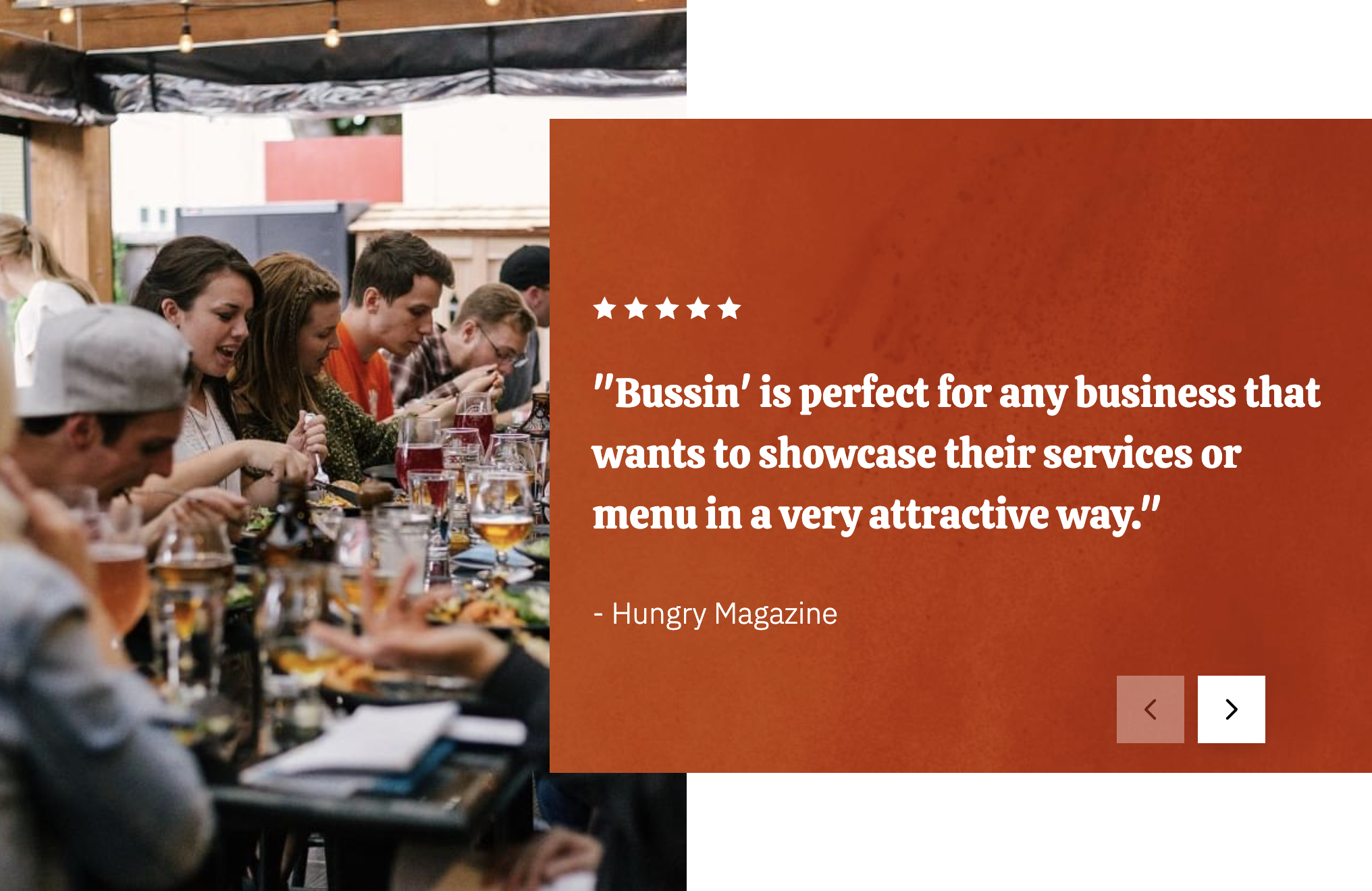
Usage Guide
The Testimonials Slider module is designed to showcase customer reviews and testimonials in an engaging, interactive format that builds trust with your restaurant or business visitors. This module works particularly well on your homepage, about page, or dedicated testimonials page where you want to highlight positive customer experiences.
When adding this module through the HubSpot page editor, you’ll find it most effective when placed in sections with high visual impact, such as below your hero section or before your contact information. The slider format allows you to feature multiple testimonials without overwhelming the page layout, making it ideal for businesses with numerous positive reviews.
Content Strategy Tips: For restaurants using the Bussin theme, consider organizing your testimonials by meal type, special events, or seasonal offerings. You can feature food photography alongside customer quotes to create a more appetizing visual experience. The star rating system helps visitors quickly assess overall satisfaction levels.
Visual Customization: The module’s background and dark mode options in the Styles section allow you to maintain brand consistency with your site’s color scheme. The dark mode feature is particularly useful for restaurants wanting to create an upscale, evening ambiance feel.
Best Practices: Limit each slide to concise, impactful quotes rather than lengthy reviews. Include high-quality profile photos when possible, as they add authenticity to testimonials. The optional eyebrow text field is perfect for adding context like “Repeat Customer” or “Catering Client” to help visitors relate to specific testimonial types.
Remember to regularly update testimonial content to keep your social proof fresh and relevant to current offerings.