
Theme Buttons
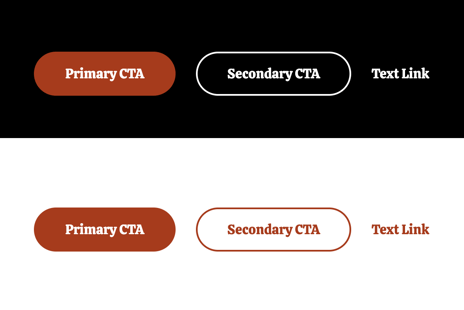
Custom call to action buttons.
View a live demo of this module.
Content
- Add as many buttons as you need
- Select a color for each call to action from button colors set in your Theme Settings (Primary, Secondary, Text Link)
- Change alignment of the buttons on the page (left, center, right)
Styles
- Can be set to Dark Mode
How to Use This Module
The Theme Buttons module is designed to create compelling calls-to-action that drive customer engagement for your restaurant or local business. This drag-and-drop module works seamlessly across all page types in the HubSpot page editor, making it particularly effective on landing pages, service pages, and your homepage where you need to guide visitors toward specific actions.
When adding this module to your pages, you’ll find it most powerful when placed strategically after key content sections. For restaurants, consider positioning button groups after menu highlights to drive reservations, or following location information to encourage phone calls. Local businesses can leverage multiple button configurations to offer different contact methods or highlight various services simultaneously.
Best practices for button implementation: Keep your button text concise and action-oriented using phrases like “Order Now,” “Book Your Table,” or “Get a Quote.” The module’s alignment options allow you to match your page’s visual flow—use center alignment for hero sections, left alignment within content blocks, and right alignment to complement form layouts.
The color options you’ll see in the module editor directly correspond to your theme’s color palette configured in Theme Settings. This ensures brand consistency across your site without requiring custom CSS knowledge. The Primary color typically works best for main conversion actions, while Secondary colors are ideal for supporting actions like “Learn More” or “View Menu.”
Dark Mode capability makes this module particularly versatile for the Bussin theme’s vibrant aesthetic. Enable this option when placing buttons over darker background sections or images to maintain optimal contrast and readability. The module automatically adjusts text colors and hover effects to ensure accessibility compliance while preserving the theme’s playful energy.