
Theme Rich Text
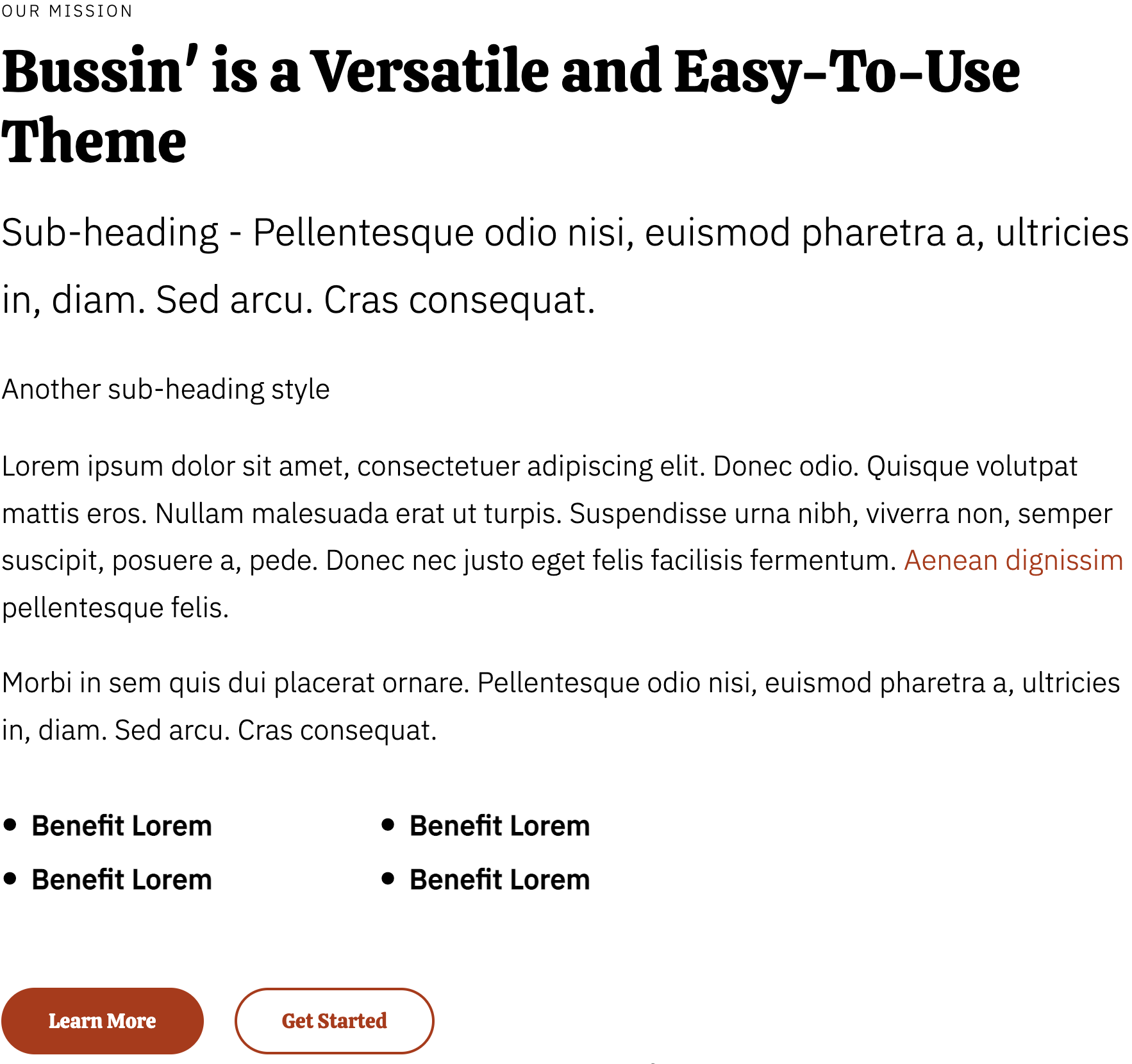
A rich text module with extra styling options not available in HubSpot's default module.
View a live demo of this module.
Content
- Include eyebrow, heading, two different styles of sub-heading, text, and call to action buttons
Styles
- Set Dark Mode
- Change text alignment
- Customize list styling
How to Use This Module
The Theme Rich Text module serves as an enhanced alternative to HubSpot’s standard rich text module, offering additional design flexibility that aligns with the Bussin theme’s vibrant aesthetic. This module is particularly valuable when you need more visual hierarchy and styling control for your restaurant or local business content.
You’ll find this module most effective on service pages, about us sections, and homepage hero areas where you want to combine compelling copy with strong visual presentation. The eyebrow text feature works especially well for highlighting special offers or seasonal promotions, while the dual sub-heading styles let you create sophisticated content hierarchies without relying on multiple separate modules.
When building pages, drag this module into any flexible column or section within the HubSpot page editor. The Dark Mode toggle is especially useful for sections with background images or darker color schemes, ensuring your text remains readable while maintaining the theme’s energetic design language.
For restaurants and local businesses, consider using the customizable list styling to showcase menu highlights, service features, or location details. The enhanced call-to-action buttons integrate seamlessly with the theme’s button styles, making them more visually cohesive than standard HubSpot CTA modules.
Pro tip: Take advantage of the text alignment options when placing this module alongside images or in multi-column layouts. Center alignment works well for hero sections, while left alignment is ideal for detailed service descriptions or longer-form content blocks.
The module’s styling options are designed to complement other Bussin theme elements, so you can confidently mix it with the theme’s other custom modules without worrying about visual inconsistencies across your pages.