
Events
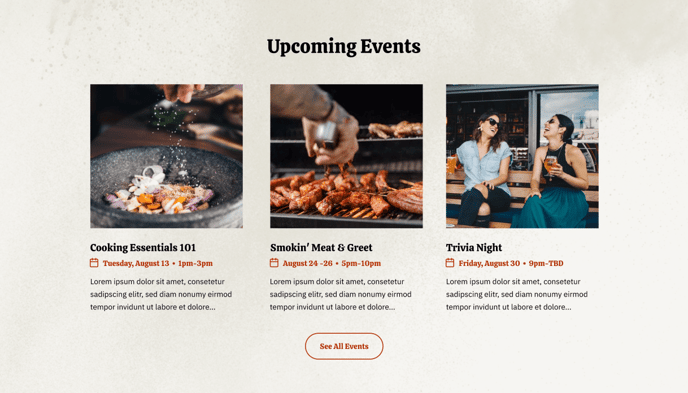
A row of events with a call to action.
View a live demo of this section.
Modules
Usage Guide
The Events section is designed to showcase your restaurant’s upcoming happenings, special occasions, or community events in an eye-catching grid format. This pre-built section combines the Events module with Theme Buttons to create a complete promotional block that encourages visitor engagement.
When you add this section to any page through HubSpot’s drag-and-drop page editor, you’ll get a structured layout that displays multiple events side-by-side with consistent styling that matches the Bussin theme’s vibrant aesthetic. Each event card can include details like dates, descriptions, and featured images, while the integrated call-to-action button drives visitors to take the next step—whether that’s making reservations, buying tickets, or viewing more details.
This section works particularly well on your homepage, events landing pages, or seasonal campaign pages. For restaurants, you might feature wine tastings, live music nights, or holiday celebrations. Local businesses can highlight grand openings, community partnerships, or seasonal promotions.
To customize this section, access it through your page editor and modify the Events module to add or remove event cards, update imagery, and adjust descriptions. The Theme Buttons module allows you to customize your call-to-action text and destination links. You can also leverage HubSpot’s global content settings to maintain consistent branding across all your event promotions.
Pro tip: Consider using HubSpot’s scheduling features to automatically update event information, ensuring your most current offerings are always displayed without manual updates to every page.