
Favorites
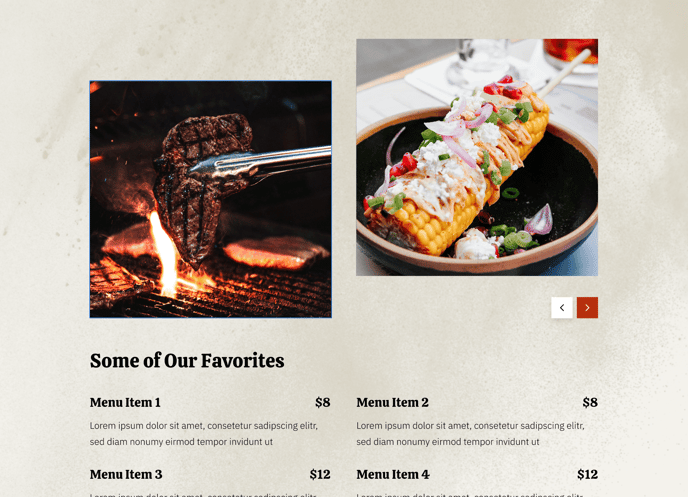
A section to showcase a slider and some of the favorite menu items.
View a live demo of this section.
Modules
Usage Guide
The Favorites section is designed to create an engaging showcase for your restaurant’s most popular dishes or signature items. This section combines visual appeal with practical menu information, making it ideal for homepage placement or dedicated menu pages where you want to highlight standout offerings.
When you add this section to your page through the HubSpot page editor, you’ll notice it creates a split layout that balances imagery with menu details. The Image Slider module on one side allows you to display multiple high-quality photos of featured dishes, while the Menu module on the opposite side presents structured information like dish names, descriptions, and pricing. This dual approach helps visitors both see and learn about your offerings simultaneously.
You can customize this section extensively through the theme settings panel. Adjust the background colors to match your brand, modify spacing between elements, or change the section’s overall width to fit your page design. The drag-and-drop functionality in HubSpot’s page editor makes it simple to reorder elements or adjust the balance between the slider and menu components.
Best practices for this section: Use high-resolution food photography in the slider to create appetite appeal, keep menu descriptions concise but enticing, and limit the featured items to your true favorites rather than overwhelming visitors with too many choices. This section works particularly well on landing pages for special promotions, seasonal menu highlights, or when you want to guide customers toward your most profitable dishes.
The Theme Buttons module provides clear call-to-action options, such as “Order Now” or “View Full Menu,” helping convert interest into action.