
Footer Form
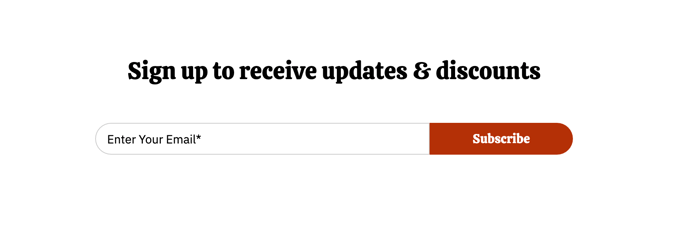
A full-width one-line form for subscriptions.
View a live demo of this section.
Modules
Usage Guide
The Footer Form section provides a streamlined subscription experience by placing a single-line form at the bottom of your pages, making it easy for visitors to join your mailing list without disrupting their browsing flow. This section works particularly well for restaurants wanting to capture email addresses for newsletters, special promotions, or event announcements.
Visual Design and Layout This section spans the full width of your page and maintains the Bussin theme’s vibrant aesthetic with playful styling that matches your restaurant’s energetic brand. The one-line layout keeps the form compact and unobtrusive while still being prominently positioned for maximum visibility.
When to Use This Section Add the Footer Form section to high-traffic pages like your homepage, menu pages, or location pages where visitors are most engaged with your content. It’s especially effective on pages where customers might want ongoing updates, such as seasonal menu changes or special events. Unlike popup forms that can interrupt the user experience, this footer placement captures interest at a natural stopping point in the customer journey.
Setup and Customization Through the HubSpot page editor, you can drag this section to any page template and customize the form fields, placeholder text, and submission behavior. Connect it to your HubSpot contact database to automatically segment restaurant subscribers from other business contacts. The Theme Form module within this section inherits your global theme settings, ensuring consistent styling across your site while allowing for page-specific customizations through the design manager.
Consider pairing this section with compelling copy about exclusive offers or insider updates to increase conversion rates for your restaurant’s email marketing campaigns.