
Hero - Full Width With Arrow
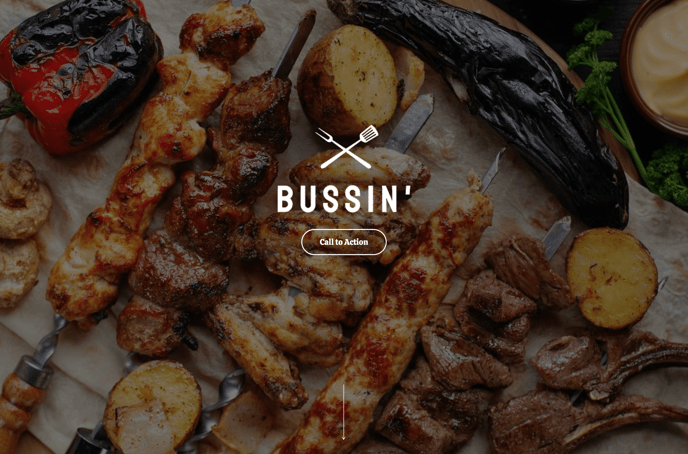
A full-width hero with just text, an image, and an animated arrow.
View a live demo of this section.
Modules
Usage Guide
The Hero - Full Width With Arrow section creates an impactful first impression for your restaurant or local business website. This section stretches across the entire width of your page, making it ideal for homepage headers or landing page introductions where you want maximum visual impact.
When you add this section through HubSpot’s page editor, you’ll get a pre-configured layout that combines compelling imagery with clear messaging and a distinctive animated arrow element. The arrow draws visitors’ attention downward, encouraging them to explore more of your page content below the fold.
Best practices for this hero section:
Use high-quality food photography or vibrant shots of your business location as the background image. The full-width design showcases these visuals prominently, so invest in professional imagery that represents your brand well.
Keep your hero text concise but compelling. Since this section focuses on visual impact over lengthy copy, aim for a powerful headline and brief supporting text that communicates your main value proposition quickly.
Position this section at the top of your homepage, service pages, or promotional landing pages. It works particularly well for restaurant websites where you want to immediately showcase your atmosphere or signature dishes.
The animated arrow helps guide user behavior by creating a natural flow from your hero message to the content sections below. Make sure your next section contains important information like your menu highlights, location details, or key services to maximize the effectiveness of this visual cue.
You can customize the text styling, colors, and imagery through HubSpot’s drag-and-drop editor to match your restaurant’s branding while maintaining the section’s clean, energetic design aesthetic.