
Menu
Restaurant menu with descriptions and an image slider with anchored sections.
View a live demo of this section.
Modules
How to Use This Section
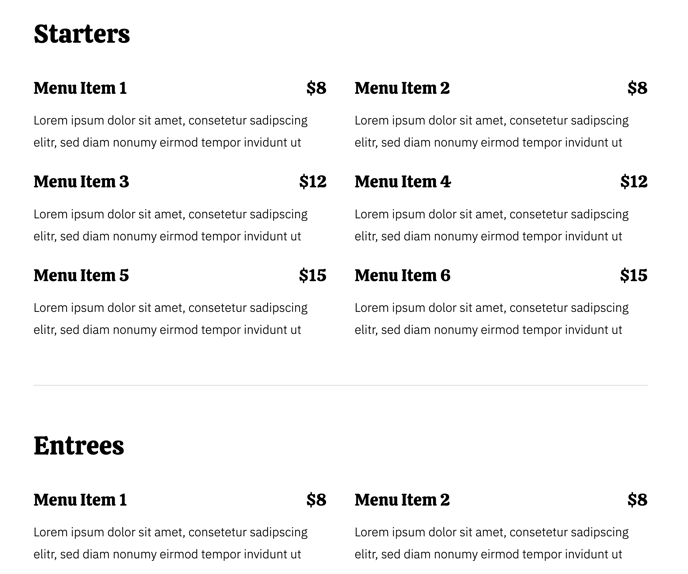
The Menu section is specifically designed for restaurants and food establishments looking to showcase their offerings in an organized, visually appealing format. This section combines the Menu module with an image slider to create a comprehensive dining experience preview that helps potential customers browse your offerings before visiting.
When you add this section to your HubSpot page through the page editor, you’ll notice it automatically creates anchored navigation sections that allow visitors to jump directly to specific menu categories like appetizers, entrees, or desserts. This improves user experience on longer menu pages where customers want to quickly find what they’re looking for.
The integrated image slider works particularly well for highlighting signature dishes, daily specials, or food photography that complements your menu descriptions. You can upload multiple high-resolution food images that will cycle through automatically, giving your menu visual appeal beyond just text descriptions.
This section performs best on dedicated menu pages, but you can also use it effectively on your homepage if you want to feature select menu items prominently. The Bussin theme’s vibrant color scheme makes food photography pop, so take advantage of the image slider to showcase your most photogenic dishes.
Pro tip: When setting up your menu items, use descriptive language in the descriptions field that highlights ingredients, preparation methods, or dietary accommodations. The section’s layout provides ample space for detailed descriptions that can help with both customer decision-making and local SEO.
Consider pairing this section with the Bussin theme’s call-to-action modules above or below to encourage online ordering, reservations, or contact form submissions once visitors have browsed your menu offerings.