
Two Column Locations
Two columns of locations/text with a background.
View a live demo of this section.
Modules
Usage Guide
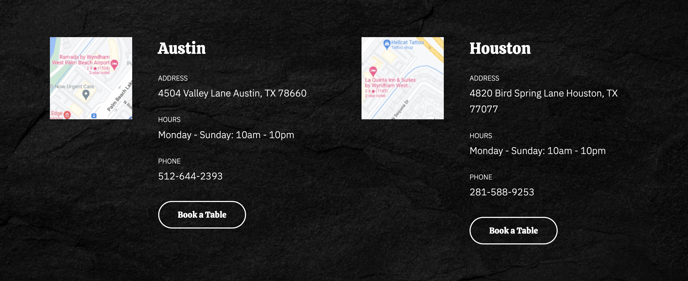
The Two Column Locations section provides an ideal layout for showcasing multiple business locations, service areas, or contact information in a clean, organized format. This section works particularly well for restaurants with multiple locations, delivery zones, or franchise operations that need to present location-specific details prominently.
When adding this section to your page through the HubSpot page editor, you’ll find it combines two Text and Image Columns modules side by side, creating a balanced visual presentation. This dual-column approach allows you to highlight key location information while maintaining the energetic aesthetic that defines the Bussin theme. The background element helps the section stand out from surrounding content, making it perfect for footer areas or dedicated location pages.
You can customize each column independently through the drag-and-drop editor, adding location-specific images, addresses, hours of operation, or unique selling points for each site. The Text and Image Columns modules support rich formatting, so you can include contact details, embedded maps, or promotional text specific to each location.
Best practices for this section include keeping your content balanced between the two columns and using high-quality images that represent each location’s character. Consider using this section on your homepage to drive traffic to specific locations, or create dedicated location landing pages where this section serves as the primary content area.
The Theme Buttons module integration allows you to add clear calls-to-action, such as “Get Directions,” “View Menu,” or “Call Now” buttons that connect directly to location-specific actions. This makes the section functional beyond just displaying information, turning it into an active conversion tool for your multi-location business.