
Two Column - Text & Image Staggered
Two columns with text and images.
View a live demo of this section.
Modules
- Horizontal Spacer (HubSpot default module)
- Theme Rich Text
- Theme Image
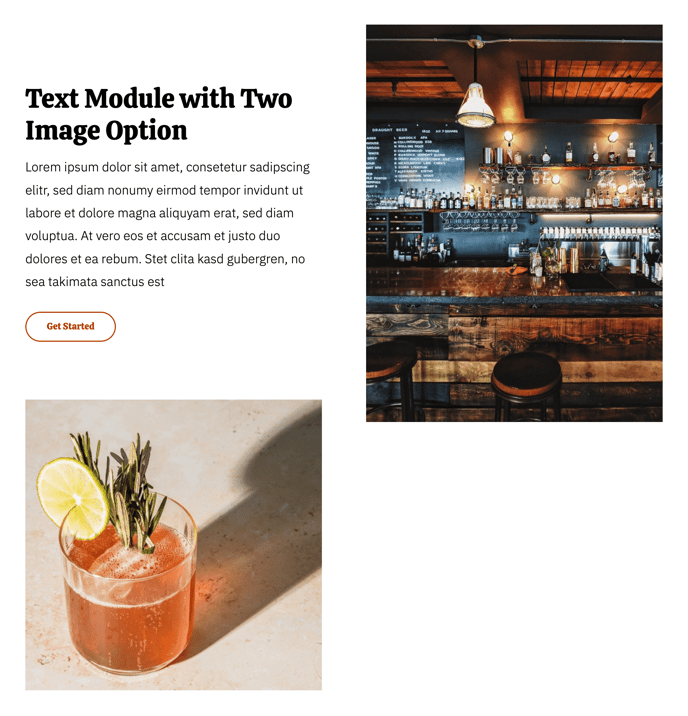
How to Use This Section
The Two Column - Text & Image Staggered section creates an alternating layout perfect for storytelling and showcasing multiple features or menu items on your restaurant or local business website. Unlike traditional side-by-side columns, this section automatically staggers your content blocks, creating visual rhythm that keeps visitors engaged as they scroll.
When you add this section through HubSpot’s page editor, you’ll notice it comes pre-configured with multiple text and image pairs. The staggered design means your first content block appears with text on the left and image on the right, while the next block flips to image left and text right, continuing this pattern throughout the section.
Best practices for restaurant and local business sites:
- Use this section on your About page to tell your brand story with supporting images
- Highlight multiple menu categories or service offerings with descriptive text and appetizing photos
- Create step-by-step process explanations, like “How We Source Our Ingredients” or “Our Service Process”
The Theme Rich Text modules give you full formatting control, including the Bussin theme’s custom typography styles that match your brand colors. You can easily adjust text alignment, add buttons, or include lists within each text block. The Theme Image modules automatically optimize for mobile viewing and include alt text fields for SEO.
To modify the section spacing, use the Horizontal Spacer module settings in the page editor. This is particularly useful when placing this section between other content blocks, ensuring your page maintains the energetic, well-balanced feel that makes the Bussin theme effective for local businesses.