
Menu
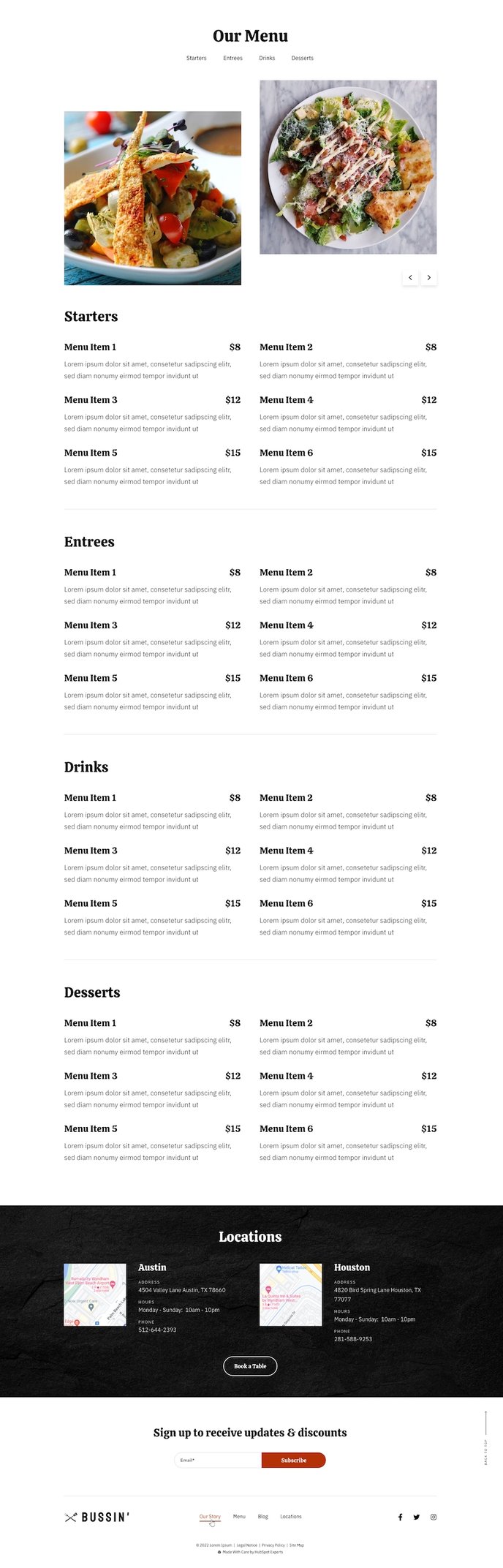
An anchored page with a fully customizable restaurant menu layout and an image slider showcasing favorite dishes.
Default Sections and Modules
How to Use This Template
The Menu template is specifically designed for restaurants, cafes, and food service businesses that need to showcase their offerings in an organized, visually appealing format. This template stands out from other Bussin theme pages by incorporating specialized restaurant functionality, including structured menu sections and mouth-watering image displays that encourage orders and visits.
When you select this template in the HubSpot page editor, you’ll immediately notice the anchored navigation system that allows customers to jump between different menu categories (appetizers, mains, desserts, etc.) without scrolling through the entire page. This navigation is automatically generated from your menu section headings, making it easy for visitors to find exactly what they’re craving.
The Image Slider module positioned prominently on the page serves as your digital showcase window. Use high-quality photos of your signature dishes, daily specials, or seasonal offerings to create immediate visual impact. You can easily upload new images through the page editor and rearrange them using HubSpot’s drag-and-drop interface.
For optimal results, populate the Menu section with your complete food and beverage offerings. This module supports rich formatting, so you can include dish descriptions, ingredients, pricing, and dietary indicators. The Two Column Locations section works particularly well for restaurants with multiple venues, allowing you to display different menus or hours for each location.
Pro tip: Enable the theme’s mobile optimization settings to ensure your menu displays perfectly on smartphones, where many customers will first discover your offerings. The template automatically adjusts image sizes and text formatting for mobile viewing, but you can fine-tune spacing and font sizes through the theme settings panel.