
Blog Featured Posts
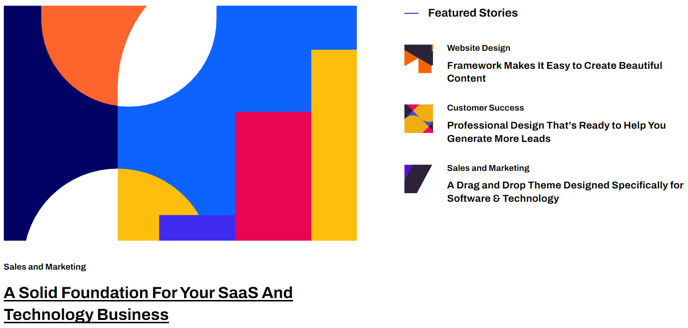
Displays a few blog posts by choosing filters like most recent, most popular, particular tags, or are manually chosen.
Content
- Choose to show recent posts, popular posts, recent posts that have a particular tag, or manually selected posts
- By default, this module pulls from the portal’s default blog, but you can choose to pull from any blog in your portal
- Set a limit on number of posts to show
- Show/hide summary, tags, and publish date
Styles
- Choose aspect ratio, hover animation, and width of images
- Set module to overlap a section above or below it (only visible if the section the module is in and the section it’s overlapping have differing backgrounds)
- Set Dark Mode
How to Use This Module
The Blog Featured Posts module serves as your content curation tool, allowing you to spotlight specific blog content that aligns with your marketing goals. This module works particularly well on homepage sections where you want to demonstrate thought leadership, or on landing pages where relevant blog content can support your conversion objectives.
When adding this module through the HubSpot page editor’s drag-and-drop interface, you’ll find it most effective when placed in sections with ample white space. The Framework theme’s clean design philosophy means this module performs best when it has room to breathe, typically in full-width sections or as a standalone content block.
Strategic content selection is key to maximizing this module’s impact. Use the “popular posts” filter to showcase your highest-performing content, or leverage the tag-based filtering to create themed content sections. For SaaS and technology companies, consider creating dedicated tag groupings like “product updates,” “industry insights,” or “customer success” to maintain content relevance across different page contexts.
The manual selection option becomes particularly powerful for campaign-specific landing pages where you need precise control over which posts appear. This ensures your blog content directly supports your page’s conversion goals rather than displaying potentially off-topic recent posts.
Visual consistency with your brand is maintained through the Framework theme’s built-in styling options. The aspect ratio controls help maintain uniform layouts across different screen sizes, while the hover animations add subtle interactivity that enhances user engagement without overwhelming the clean aesthetic that technology audiences expect.
Consider using this module’s overlap functionality when you want to create visual depth between sections, particularly effective when transitioning from hero sections to content areas.