
Blog Listing
Filterable and searchable listing of blog posts.
Note: In Settings > Website > Blog > Templates set the Number of posts per listing page to 100000000 to ensure the infinite loading works. This module is only available for use on Blog Listing templates.
Content
- Choose the number of posts to show per page
- Edit the tag list to be a dropdown, set a label, use a pick list of tags, and choose to show the tags in the post thumbnails
- Edit strings used in the listing (Load More, View All, Search Label, etc.)
Styles
- Set the module to overlap a section above/below it
- Set to Dark Mode
- Change the Load More button style
- Change the posts’ load in animation, background color, border, and Dark Mode
- Change the posts’ image’s hover animation, aspect ratio, and if you want them to fill the container or be contained within
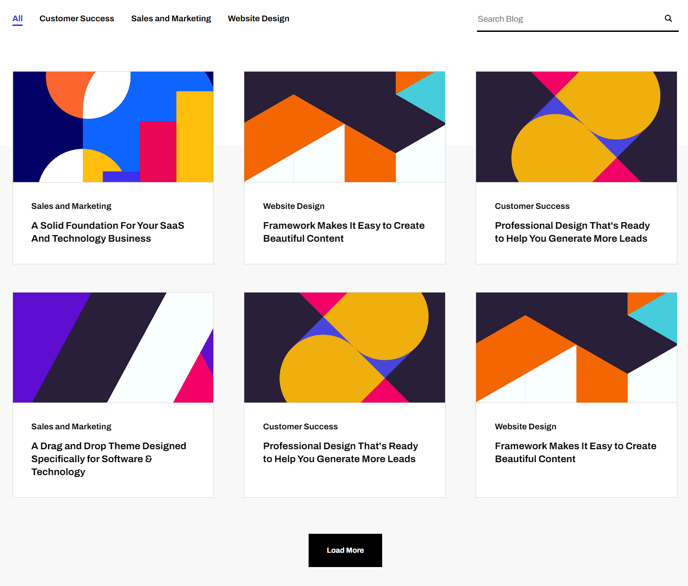
How to Use This Module
The Blog Listing module is specifically designed for HubSpot’s Blog Listing template pages and serves as your primary tool for creating dynamic, user-friendly blog index pages. Unlike standard HubSpot blog listings, this Framework theme module provides enhanced filtering capabilities and modern loading animations that create a more engaging experience for your site visitors.
When you drag this module into your Blog Listing template in the HubSpot page editor, you’re creating an interactive hub where readers can discover your content through multiple pathways. The searchable functionality allows visitors to find specific topics quickly, while the tag filtering system helps them browse content by category or theme relevant to your SaaS or technology focus.
Best practices for implementation: Position this module as the primary content area on your blog listing pages, typically after a hero section or page header. The infinite loading feature works exceptionally well for sites with extensive blog archives, as it eliminates traditional pagination and keeps users engaged with your content longer.
The module’s overlap settings allow you to create sophisticated layouts where your blog listing seamlessly flows into adjacent sections, perfect for modern web design aesthetics. When configuring the tag display options, consider your content strategy—dropdown tags work well for sites with many categories, while visible tags on thumbnails help with immediate content categorization.
For optimal performance, ensure your blog posts have featured images that work well with your chosen aspect ratio settings. The hover animations and load-in effects create visual interest without overwhelming the user experience, maintaining the clean, professional appearance that technology companies require for credibility and user engagement.