
Feature Cards
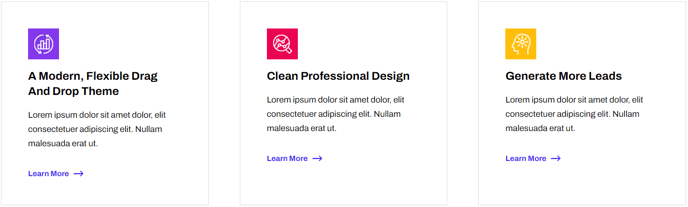
A set of cards with image, text, and link to feature services, products, etc.
View a live demo of this module.
Content
- Include a heading
- Include an image or icon
- Make the entire box clickable
Styles
- Change load-in and hover animations
- Edit background, border, and box-shadow
- If using images—choose a hover animation, aspect ratio, and whether to fill the container with the image or contain the image within the container
- Change the text alignment
- Set Dark Mode
Usage Guide
The Feature Cards module works exceptionally well for showcasing your company’s core services, product features, or key value propositions in a visually engaging grid layout. You’ll find this module particularly effective on homepage hero sections, service overview pages, and product landing pages where you need to present multiple options at a glance.
When adding Feature Cards to your page through the HubSpot page editor, consider your content hierarchy carefully. This module shines when you have 3-6 related items to display – any fewer and the layout may feel sparse, while too many can overwhelm visitors. The Framework theme’s responsive design automatically adjusts the card grid based on screen size, ensuring your content looks professional across all devices.
For SaaS and technology companies, Feature Cards excel at presenting software capabilities, pricing tiers, or integration partners. The clickable card functionality makes it easy to guide visitors to detailed product pages or service descriptions without cluttering your overview page with lengthy explanations.
Pro tip: When selecting images for your cards, maintain visual consistency by using similar styles – either all photographs, all icons, or all illustrations. The aspect ratio setting in the module’s style options helps create a uniform appearance even when your source images vary in dimensions.
The Dark Mode setting integrates seamlessly with the Framework theme’s global dark mode preferences, automatically switching card styling when visitors toggle their display preference. This is particularly valuable for technology audiences who often prefer darker interfaces.
Consider pairing Feature Cards with the Framework theme’s CTA modules below to create a clear conversion path after visitors explore your offerings.