
Progress Bar
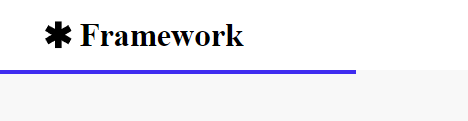
Adds a bar below the header showing the scroll progress of the page.
View a live demo of this module.
Styles
- Change the height and color of the bar
How to Use This Module
The Progress Bar module creates a visual indicator that shows visitors how far they’ve scrolled through your page content. This slim horizontal bar appears fixed below your site’s header and fills progressively as users scroll down, giving them a sense of reading progress and encouraging continued engagement.
This module works particularly well on long-form content pages like blog posts, case studies, whitepapers, and detailed product documentation where readers need to process substantial amounts of information. SaaS companies often find it valuable on feature explanation pages, implementation guides, and educational content where maintaining reader engagement is crucial.
To add the Progress Bar to your page, simply drag it from the module library in the HubSpot page editor and drop it anywhere on your page template. The module will automatically position itself below the header regardless of where you place it in the drag-and-drop interface.
The styling options let you customize the bar’s appearance to match your brand guidelines. You can adjust the height to make it more or less prominent—a thicker bar draws more attention while a minimal 2-3 pixel height provides subtle guidance. The color option should align with your primary brand color or create sufficient contrast against your header background for visibility.
Pro tip: Test the progress bar on mobile devices to ensure the height remains appropriate across screen sizes. Consider using it strategically on your highest-value content pages rather than every page, as overuse can diminish its effectiveness.
The Progress Bar module integrates seamlessly with the Framework theme’s clean design philosophy, adding functional value without visual clutter that could distract from your core messaging.