
Testimonials Cards Slider [+ only]
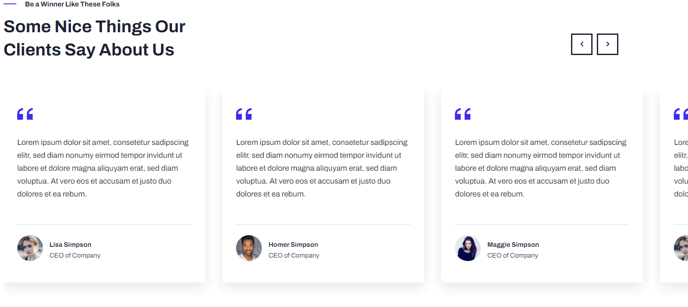
A slider showing multiple testimonial cards at a time.
Note: This module is only available in Framework+, a paid version of Framework.
View a live demo of this module.
Content
- Include a heading
- Add any number of slides with quote, profile image, name, and title
- Set number of slides to show at a time for desktop, laptop, tablet, and mobile
- Edit slider screen reader text (next, previous, etc.)
Styles
- Set Dark Mode for heading, slides, and arrows separately
- Set slider type (slide, loop, rewind)
- Change spacing between slides
- Chang text alignment of quote and remove decoration
- Change text alignment of meta
How to Use This Module
The Testimonials Cards Slider is designed to showcase customer feedback in an engaging, carousel format that works particularly well for SaaS and technology company homepages, product pages, and dedicated testimonials sections. Unlike a single testimonial display, this module allows you to present multiple customer stories simultaneously while maintaining a clean, organized appearance.
When adding this module through the HubSpot page editor, you’ll find it most effective on pages where social proof is crucial for conversion, such as landing pages, pricing pages, or service overview sections. The multi-card display format helps visitors quickly scan through different customer perspectives without overwhelming the page layout.
Setting up your testimonials requires attention to both content quality and visual consistency. Ensure all profile images are similar in dimensions and style for the best visual impact. When entering testimonial text, aim for quotes of similar length to maintain uniform card heights across your slider. The name and title fields should follow a consistent format throughout all slides.
Responsive customization is one of this module’s key strengths within the Framework theme. You can configure different slide counts for each device type directly in the module settings, ensuring optimal readability across all screen sizes. For example, you might display three cards on desktop, two on tablet, and one on mobile for the best user experience.
The slider type settings significantly impact user interaction. Choose “loop” for continuous scrolling through testimonials, “rewind” to return to the beginning after the last slide, or “slide” for standard back-and-forth navigation. Loop functionality works especially well when you have numerous testimonials and want to encourage extended engagement with your social proof content.