
Theme Buttons
Custom call to action buttons.
View a live demo of this module.
Content
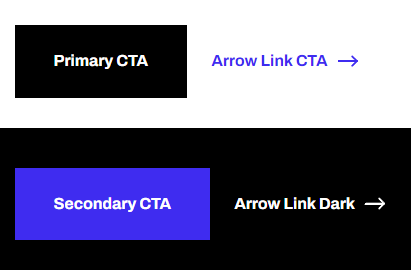
- Choose what style to display button with (styles are set in the Theme Settings in the Buttons section)
- Include an icon (not applicable to link style buttons)
- Choose to open a video modal instead of a link
- Change the alignment of the button on the page
Usage Guide
The Theme Buttons module is designed to create compelling call-to-action elements that drive conversions on your SaaS or technology website. You can drag this module onto any HubSpot page or template where you need to guide visitors toward important actions like signing up for trials, downloading resources, or contacting your team.
This module works particularly well on landing pages, service pages, and blog posts where you want to capture leads or encourage specific user behaviors. The Framework theme’s button styles are optimized for technology companies, offering both subtle and prominent options depending on your conversion goals.
Setting Up Your Buttons
Before adding buttons to your pages, configure your button styles in the HubSpot Design Manager under Theme Settings > Buttons. This centralized approach ensures consistent branding across all button instances on your site. You can define primary, secondary, and link button styles that match your brand colors and typography.
When editing a page in the HubSpot page editor, simply drag the Theme Buttons module from the sidebar into your desired content area. The module’s flexibility allows you to create single buttons or button groups, making it perfect for A/B testing different call-to-action approaches.
Best Practices
Use the video modal feature for product demonstrations or testimonials without redirecting visitors away from your conversion page. The icon functionality helps reinforce your message visually—consider using download icons for resources or play icons for video content.
The alignment options let you match your page’s visual hierarchy. Center alignment works well for hero sections, while left alignment integrates naturally within content blocks. Remember that button placement and styling significantly impact conversion rates, so test different configurations to optimize performance.