
Call to Action Banner - Centered [+ only]
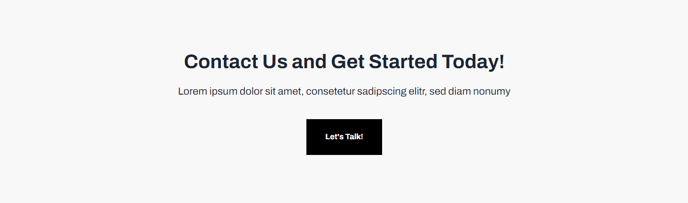
Full-width section calling out text and call to action button on a light background.
Note: This section is only available in Framework+, a paid version of Framework.
View a live demo of this section.
Modules
How to Use This Section
The Call to Action Banner - Centered section creates a visually striking focal point on your pages with its full-width design and centered content layout. This section works exceptionally well for driving conversions when placed strategically on high-traffic pages like your homepage, product pages, or at the bottom of blog posts where visitors are ready to take the next step.
When you add this section through HubSpot’s page editor, you’ll find it contains a pre-configured Call to Action Box module that handles all the content elements. The centered alignment makes it particularly effective for primary calls to action since it naturally draws the eye to the middle of the screen where users expect to find important information.
Best practices for this section:
- Page placement: Position it after introducing your value proposition but before detailed feature explanations to capture interested prospects early
- Content strategy: Keep your headline concise and action-oriented, typically 6-8 words that clearly communicate the benefit
- Button optimization: Use contrasting colors for your CTA button that complement Framework’s design system while standing out from the light background
- Mobile consideration: The centered layout remains effective on smaller screens, making this section mobile-friendly by default
This section pairs well with Framework’s other content sections when building conversion-focused landing pages. Consider placing it between testimonial sections and feature highlights, or use it as a page footer alternative when you want to end with a strong conversion opportunity.
The light background provides excellent contrast against Framework’s typically darker navigation and footer areas, creating natural visual breaks that guide users through your page content hierarchy.