
Call to Action Banner - Centered - Accent [+ only]
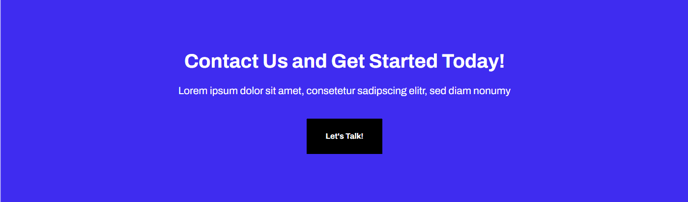
Full-width section calling out text and call to action button with accent color as background.
Note: This section is only available in Framework+, a paid version of Framework.
View a live demo of this section.
Modules
How to Use This Section
The Call to Action Banner - Centered - Accent section creates a bold, full-width focal point on your pages using your theme’s accent color as the background. This section works particularly well for SaaS and technology companies looking to drive conversions with high-contrast messaging that stands out from typical white or neutral backgrounds.
When adding this section through HubSpot’s drag-and-drop page editor, you’ll find it under the Framework+ sections library. The section automatically spans the full width of your page and centers all content both horizontally and vertically, creating a balanced visual hierarchy that draws attention to your primary call-to-action.
Best placement strategies include positioning this section after your hero area to reinforce your main value proposition, or using it as a conversion-focused conclusion before your footer. The accent color background makes it especially effective for breaking up long-form content on service pages or blog posts where you want to re-engage readers with a clear next step.
The integrated Call to Action Box module provides flexible content options beyond basic text and buttons. You can customize heading sizes, add supporting copy, and adjust button styling through the theme settings panel to match your brand guidelines while maintaining the centered layout structure.
For optimal performance, keep your headline concise and action-oriented since the accent background already provides visual emphasis. This section pairs well with the Framework theme’s clean typography and works across all device sizes, automatically adjusting the padding and text sizing for mobile users.
Consider using this section sparingly throughout your site to maintain its impact—typically no more than once per page to avoid overwhelming visitors with too many high-contrast conversion points.