
Featured Items [+ only]
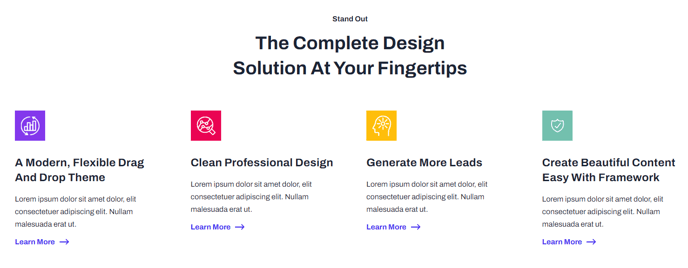
A set of four featured items with icon, text, and link.
Note: This section is only available in Framework+, a paid version of Framework.
View a live demo of this section.
Modules
How to Use This Section
The Featured Items section provides a clean, grid-based layout that showcases four key features, services, or benefits in an organized visual format. This section works particularly well on homepage hero areas, service overview pages, and product feature pages where you need to highlight your most important selling points at a glance.
When you add this section to any page through HubSpot’s drag-and-drop page editor, you’ll find it displays in a responsive 2x2 grid that automatically adapts to mobile devices. Each featured item includes space for a custom icon, headline text, descriptive copy, and an optional call-to-action link, making it ideal for driving traffic to specific product pages or service details.
Best practices for content editors:
- Keep your headlines concise (under 6 words) to maintain visual balance across all four items
- Use consistent icon styles — either all outline icons or all filled icons work best
- Write benefit-focused descriptions rather than feature lists to connect with your audience
- Consider using this section early on landing pages to immediately communicate your value proposition
The section integrates seamlessly with Framework’s typography and color settings from your theme options, ensuring brand consistency without additional customization. You can easily reorder items by dragging modules within the section editor, and the responsive design ensures your featured content remains readable and engaging across all device sizes.
This section particularly shines for SaaS companies showcasing platform capabilities, technology firms highlighting service areas, or any business needing to present information in digestible, scannable chunks that encourage further exploration of your site.