
Manual Related Resources
A saved section where you can manually add a set of three related resources.
View a live demo of this section.
Modules:
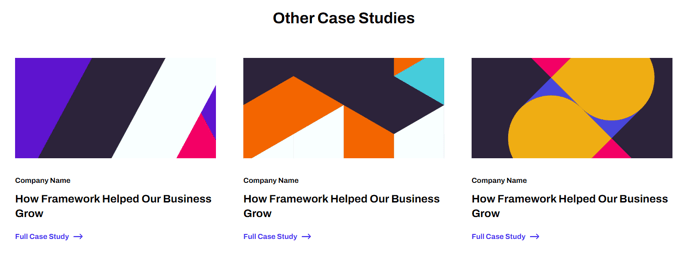
How to Use This Section
The Manual Related Resources section provides a curated showcase for highlighting three specific resources that complement your content, making it ideal for blog posts, case studies, and landing pages where you want to guide visitors to handpicked related materials.
Unlike automated related content widgets, this section gives you complete editorial control over which resources appear. You can manually select three items from your blog posts, downloadable assets, case studies, or external resources, ensuring the suggestions are strategically aligned with your content goals rather than algorithmically determined.
When to choose this section: Use the Manual Related Resources section when you want to cross-promote specific content, guide users through a content funnel, or highlight your best-performing resources. It works particularly well at the bottom of blog posts to encourage further engagement, or on service pages to showcase relevant case studies and whitepapers.
To add this section to any page in the Framework theme, navigate to the page editor and use the drag-and-drop interface to insert the saved section from your sections library. The clean, three-column layout maintains visual consistency with the theme’s minimal design while providing clear calls-to-action for each resource.
Content strategy tip: Consider the user journey when selecting your three resources. For example, on a product feature page, you might link to a related case study, a demo video, and a technical whitepaper. This strategic curation helps move prospects deeper into your sales funnel while providing genuine value.
The section’s responsive design ensures your related resources display properly across all devices, with the three-column layout automatically stacking on mobile screens for optimal readability.