
Project Info
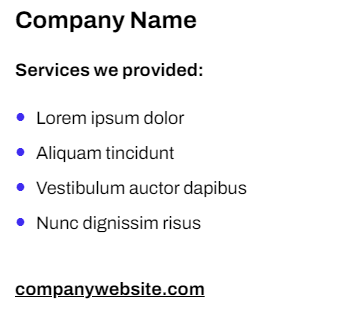
Project info like company name/website and services provided.
View a live demo of this section.
Modules:
Usage Guide
The Project Info section is specifically designed for case studies and portfolio pages where you need to display key project details in a clean, scannable format. This section works particularly well on case study template pages, giving visitors quick access to essential information before diving into the full project narrative.
When you add this section to your page through HubSpot’s page editor, you can drag and drop it anywhere in your layout, though it’s most effective positioned near the top of case studies or immediately following your project hero section. The section uses the Theme Rich Text module, which gives you complete formatting control while maintaining the Framework theme’s clean typography and spacing standards.
Content Strategy Tips:
Use this section to highlight the most important project facts that visitors need upfront. Structure your rich text content with clear labels like “Client,” “Industry,” “Services,” and “Timeline” to create visual hierarchy. The Framework theme’s minimal styling ensures this information remains readable without competing with your main project content.
Customization Options:
Through HubSpot’s theme settings, you can adjust the section’s background colors and spacing to match your brand requirements. The rich text module supports all standard formatting options, including links, lists, and bold text for emphasizing key details.
Best Practices:
Keep project information concise—aim for single lines or short phrases rather than paragraphs. This section works best when paired with other Framework sections like testimonials or image galleries to create comprehensive case study pages. Consider using consistent formatting across all your project pages to maintain a professional, cohesive look throughout your portfolio.